Pinterest sends more referral traffic per pin than almost any other social platform, yet most digital publishers are completely overlooking it. If you've spent time building a professional flipbook, whether it's a product catalog, magazine, portfolio, or lookbook, posting it on Pinterest correctly can send compounding traffic to your site for months after you publish it.
This article breaks down exactly how to post a flipbook on Pinterest and get traffic that sticks. You'll find board strategy, pin writing formulas, a step-by-step creation walkthrough, and a full tutorial for building your flipbook with Flipbooks AI so your content is Pinterest-ready from day one.
Why Pinterest Is a Traffic Machine
Most people treat Pinterest like an image gallery. That's the mistake. Pinterest is actually a visual search engine with over 500 million monthly active users actively searching for ideas, products, and content to save, revisit, and click. Unlike Instagram or TikTok where content dies in 48 hours, a well-crafted Pinterest pin can drive traffic for 12 to 24 months after it's posted.

Pinterest vs. Other Platforms
The fundamental difference between Pinterest and other social platforms is content longevity. Here's how it stacks up:
| Platform | Average Content Lifespan | Traffic Type | Search-Driven? |
|---|
| Pinterest | 6–24 months | Evergreen, compounding | Yes |
| Instagram | 24–48 hours | Spike, then drop | Minimal |
| TikTok | 1–7 days | Viral burst | Minimal |
| Facebook | 5–6 hours | Fast decay | No |
| Twitter/X | 15–30 minutes | Immediate only | No |
💡 Pinterest's search-driven nature means your flipbook pin can appear in search results years after you posted it, driving continuous traffic without any additional effort on your part.
Who Pinterest Users Are
Pinterest's audience skews toward high-intent users. They're not passively scrolling; they're actively planning purchases, projects, and interests. This makes Pinterest traffic highly valuable: people who click through from a Pinterest pin are already interested in what you're showing them. For digital publishers sharing catalogs, lookbooks, e-books, or menus, this intent-driven audience is exactly who you want visiting your flipbook.
What Makes Flipbooks Perfect for Pinterest
Flipbooks and Pinterest are a natural match, and it comes down to format. Pinterest is a visually-dominant platform where striking thumbnail images drive saves and clicks. A well-designed flipbook opening page, featuring editorial photography, bold typography, or a dramatic product spread, fits exactly what Pinterest users stop to save.
Flipbook Types That Perform on Pinterest
Not every flipbook type drives equal Pinterest traffic. Some content categories are natively popular on Pinterest and gain traction faster. Here's a breakdown:
| Flipbook Type | Pinterest Potential | Best Board Category |
|---|
| Fashion Catalog | Very High | Fashion, Style, Shopping |
| Recipe Book | Very High | Food, Recipes, Cooking |
| Travel Destination Flipbook | High | Travel, Adventure, Destinations |
| Wedding Album | High | Weddings, Events, Inspiration |
| Interior Design Lookbook | Very High | Home Decor, Design, Interiors |
| Product Catalog | High | Shopping, Products, Lifestyle |
| Fitness and Wellness Flipbook | Medium-High | Health, Fitness, Wellness |
| Corporate Report | Low | Business, Professional |
| Photography Portfolio | Medium | Photography, Design, Art |
✅ Focus on flipbook types that align with Pinterest's top-performing categories: home, fashion, food, travel, and wellness content consistently outperforms business content on the platform.
Why Flipbooks Stand Out in Pinterest Feeds
Standard image pins show a static photo. When you share a flipbook, you can create a pin that teases the interactive nature of the content, showing a dynamic thumbnail that hints at pages beneath it. This curiosity gap drives higher click-through rates because users want to see what's inside. Add to that the fact that flipbooks are hosted on a dedicated URL (not buried in a PDF download), and you have a clean link destination that Pinterest's algorithm respects.
Create a Flipbook Worth Pinning
Before you can post a flipbook on Pinterest and get traffic, you need a flipbook that's actually worth pinning. The quality of your flipbook directly affects how many saves and clicks your pin generates, because Pinterest's algorithm promotes content that earns high save rates.
Build Your Flipbook with Flipbooks AI
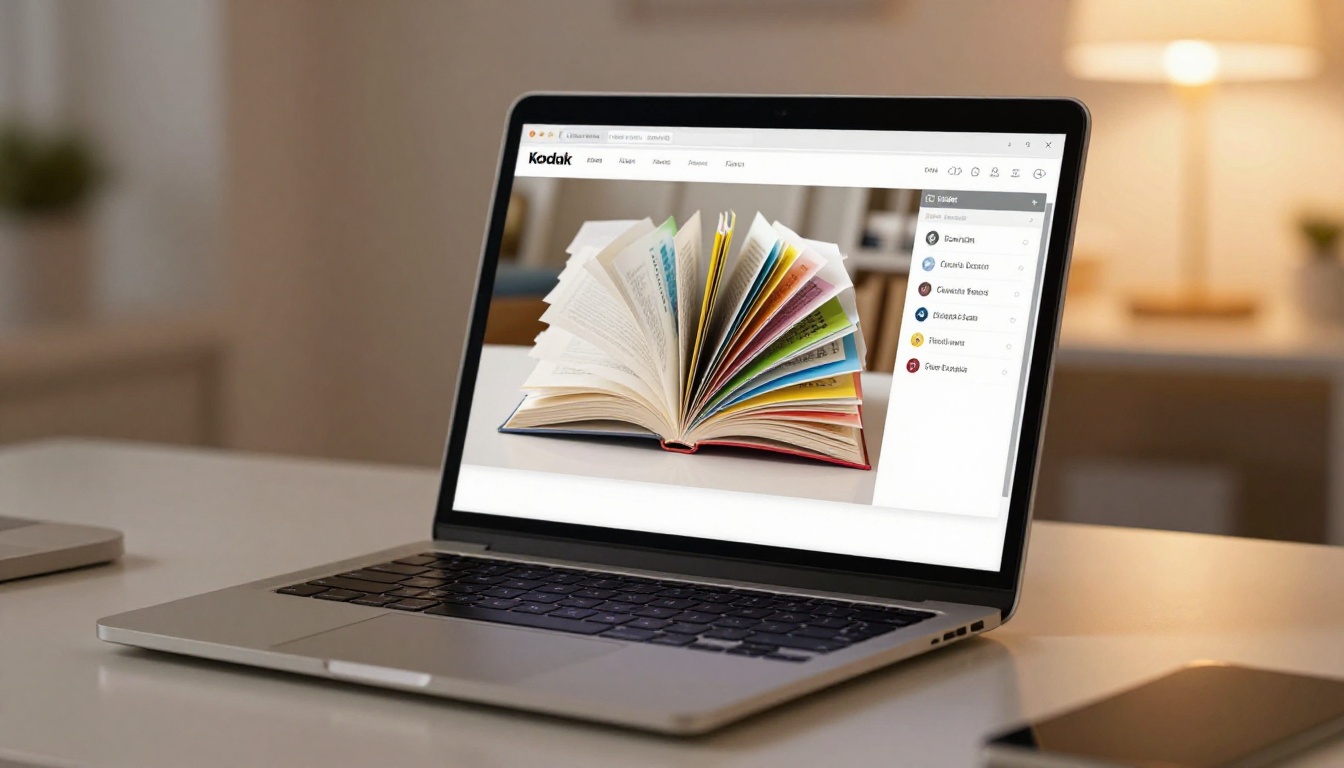
Flipbooks AI is a purpose-built platform for converting PDFs into interactive, page-turning publications that work perfectly as Pinterest link destinations. Here's how to build one in five steps:
Step 1: Sign up for your account
Go to Flipbooks AI and create a free account. No credit card is required. Your dashboard loads immediately after signup.
Step 2: Upload your PDF
Click "New Flipbook" and upload your PDF file. Flipbooks AI supports all standard PDF formats and converts them automatically into a page-flipping digital publication. The PDF to Flipbook Converter handles the conversion in seconds regardless of file size.
Step 3: Customize your flipbook
Before sharing, customize your flipbook to match your brand:
- Set your opening page image (this becomes your Pinterest thumbnail)
- Apply your brand colors to the reading interface
- Add your logo for professional presentation
- Enable page-turn animations for an immersive reading experience
- Embed video or audio content directly into pages if needed
💡 Your flipbook's opening page is the single most important element for Pinterest performance. Choose a visually striking first page with bold colors, clear subject matter, and minimal text.
Step 4: Configure sharing options
Once your flipbook is customized:
- Copy the direct shareable link (this is the URL you'll use in your Pinterest pin)
- Optionally enable password protection for private audiences
- Activate analytics tracking, available on the Professional plan, to monitor traffic from Pinterest specifically
Step 5: Copy your shareable URL
Every flipbook on Flipbooks AI gets a clean, direct URL. This is the link that goes into your Pinterest pin's destination field.
Why Flipbooks AI works for Pinterest traffic:
- No watermarks on any plan
- Unlimited flipbooks on Standard plan and above
- Mobile-responsive design (critical since over 80% of Pinterest users browse on mobile)
- Custom branding without third-party logos visible
- Analytics to track where your traffic originates (Professional plan)
- Offline download option for professional content distribution
- Lead generation forms to capture emails from Pinterest visitors (Professional plan)

How to Post Your Flipbook on Pinterest
With your flipbook published and your shareable URL ready, here's exactly how to post it on Pinterest for maximum traffic impact.
Set Up a Business Account First
If you're posting flipbooks to drive traffic, you need a Pinterest Business account, not a personal one. Business accounts give you access to Pinterest Analytics, Rich Pins, and advertising options if you choose to scale later.
- Go to Pinterest and switch to or create a Business account (free)
- Complete your profile with a clear name, bio, and profile image matching your brand
- Claim your website in Pinterest settings (this enables Rich Pins and adds credibility)
- Create at least 5 boards before pinning so your profile looks established
Creating the Pin
When creating a new pin on Pinterest:
- Click "Create" and select "Create Pin"
- Upload a high-quality image representing your flipbook (your opening page image works well)
- Add your pin title using the formula below
- Write your pin description using the best practices below
- Paste your flipbook URL from Flipbooks AI into the "Destination Link" field
- Select the most relevant board
- Publish immediately or schedule for peak posting times
⚠️ Never paste a raw PDF link as your destination URL. Pinterest penalizes PDF links and they create a poor mobile experience. Always use the flipbook's published URL from Flipbooks AI, which loads a responsive page that works on any device.
Writing Pin Titles That Rank
Pinterest's search algorithm indexes pin titles heavily. Your title should include the primary keyword people would search to find your content. Use this formula:
[Specific Benefit] + [Content Type] + [Target Audience or Use Case]
Examples:
- "Free Recipe Book for Mediterranean Meal Planning"
- "Interior Design Lookbook: Modern Minimalist Living Room Ideas"
- "Wedding Planning Catalog with Full Vendor Checklist"
- "2024 Fashion Collection Lookbook for Boutique Shoppers"
Keep titles under 100 characters and front-load the most important keyword so it's visible before the title gets cut off in the feed.
Pinterest Board Strategy for Flipbook Content
Your boards are the infrastructure of your Pinterest traffic strategy. A disorganized profile with vague board names suppresses your pin reach. A well-structured board setup amplifies every pin you post.
How Many Boards to Create
Start with 8 to 12 focused boards. Each board should represent a specific topic your audience cares about. For flipbook publishers, a strong board structure might look like this:
| Board Name | Content to Pin |
|---|
| Recipe Books and Menus | Food flipbooks, recipe collections |
| Fashion Lookbooks | Style catalogs, seasonal collections |
| Home Design Inspiration | Interior lookbooks, furniture catalogs |
| Travel Flipbooks and Itineraries | Destination content, travel collections |
| Wedding Planning Resources | Wedding albums, vendor checklists |
| Small Business Marketing | Product catalogs, promotional flipbooks |
| Digital Publishing Tips | How-to content, publishing strategy |
| Free Downloadable Content | Lead-magnet flipbooks, ebooks |
Board SEO and Naming
Your board names are indexed by Pinterest's search engine. Name your boards the way your target audience would actually search:
- Use descriptive, keyword-rich names that people genuinely search
- Add a 2 to 3 sentence board description with natural language keywords
- Set a high-quality thumbnail image for each board
- Pin at least 20 pieces of content to each board before promoting it heavily
✅ Create a dedicated board specifically for your flipbooks. Name it something specific like "Free Interior Design Lookbooks" rather than "My Content," so Pinterest understands exactly what the board contains.
Writing Pins That Drive Clicks
A strong image gets the save; a strong description gets the click. Most Pinterest creators neglect their pin descriptions entirely, missing a significant algorithmic opportunity. Pinterest indexes pin descriptions for search, meaning the right keywords in your description can surface your pin to users who've never seen your profile before.

Pin Description Best Practices
Write 150 to 300 words for maximum impact. Pinterest allows up to 500 characters, but descriptions in this range tend to perform best in organic search.
Structure that works:
- Opening hook: State what the content is and who it's for
- What's inside: Briefly describe the flipbook's value or contents
- Call to action: Tell users to click the link to read or access the flipbook
- Hashtags: Add 3 to 8 highly specific hashtags at the end
Example description for a recipe flipbook:
"This free Mediterranean recipe flipbook covers 40 weeknight dinner ideas with full ingredient lists and nutritional info. Perfect for anyone cutting back on processed food without sacrificing flavor. Click the link to open the full interactive flipbook and save your favorites. #RecipeBook #MediterraneanDiet #MealPlanning #HealthyEating #FreeRecipes"
Hashtags That Work on Pinterest
Unlike Instagram, Pinterest hashtags are used for discovery, not community building. Use specific, intent-driven hashtags rather than broad ones:
- Too broad: #food, #design, #fashion
- More effective: #MealPlanningIdeas, #MinimalistInteriorDesign, #SpringFashionLookbook
Aim for hashtags with between 50,000 and 500,000 monthly searches. Very popular hashtags bury your pin in a sea of content; very niche ones get no search traffic at all.
Tracking Pinterest Traffic from Your Flipbooks
Once your pins are live, tracking performance tells you what's working and where to invest more effort.
Pinterest Analytics
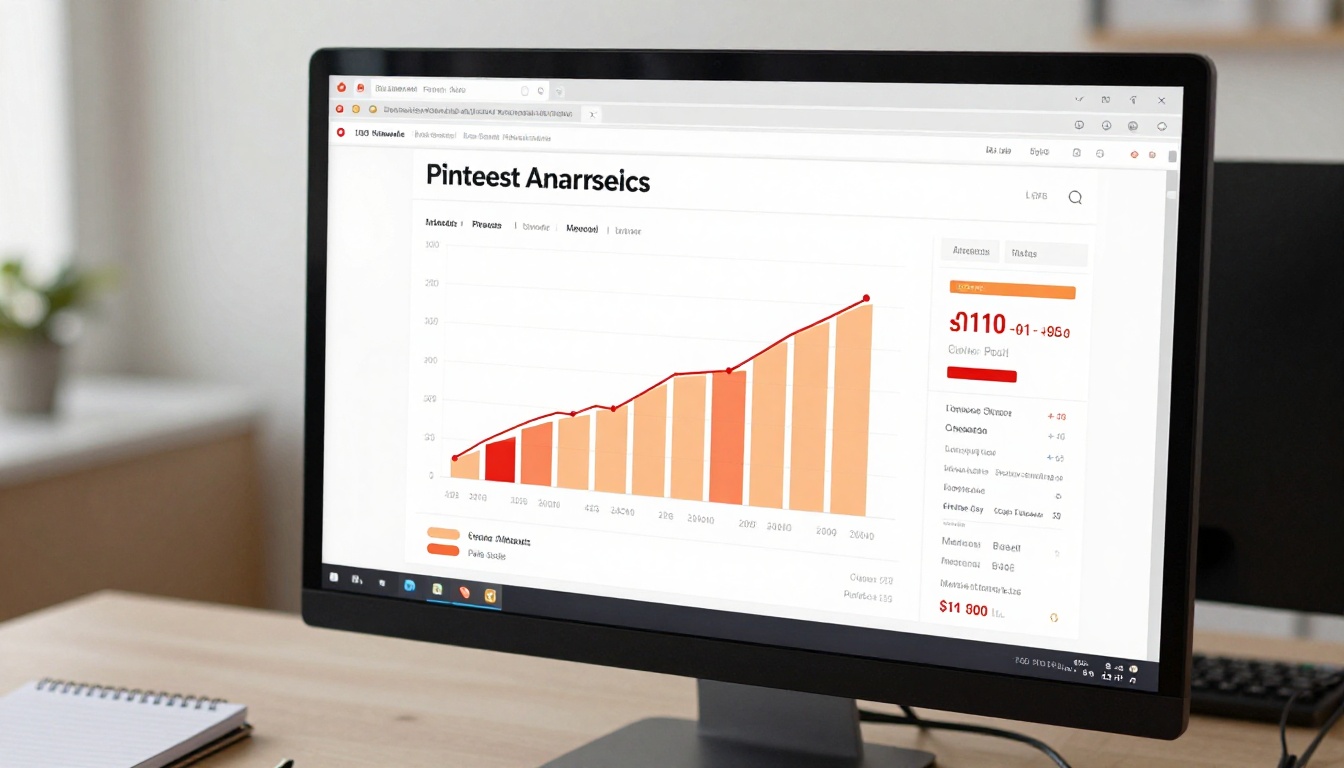
Pinterest Business accounts include free analytics showing:
- Impressions: How many times your pin appeared in feeds and search results
- Saves: How many users saved your pin to their boards
- Link clicks: How many users clicked through to your flipbook URL
- Audience demographics: Who your content is reaching by age, gender, and location
Focus primarily on link clicks and save rate (saves divided by impressions). A high save rate signals that Pinterest's algorithm should distribute your pin more broadly. A high link click rate confirms that your pin is converting interest into actual flipbook traffic.
Flipbooks AI Traffic Tracking
On the Professional plan, Flipbooks AI provides built-in analytics showing you exactly how visitors interact with your flipbook after arriving from Pinterest:
- Total views and unique readers
- Pages read per session
- Time spent per page
- Geographic distribution of readers
- Lead generation form submissions
Combining Pinterest's referral click data with Flipbooks AI's on-site metrics gives you a complete picture from pin impression through to engaged readership, with no guesswork.
Posting Frequency and Timing
Pinterest rewards consistent activity. The platform's algorithm favors accounts that pin regularly over those that post in bursts:
- Minimum: 5 pins per day
- Optimal: 15 to 25 pins per day (a mix of your own content and relevant repins)
- Best posting times: 8pm to 11pm local time on weekdays; Saturday mornings
💡 Use a scheduling tool like Tailwind to automate your Pinterest posting. Scheduling two weeks of pins in advance takes about 30 minutes and keeps your account active without daily manual effort.
4 Mistakes That Kill Your Pinterest Reach

Most flipbook publishers who try Pinterest and fail make the same four avoidable errors:
1. Linking to a PDF instead of a flipbook URL
Pinterest penalizes pins that link directly to PDFs because they create a poor mobile experience. Always use your Flipbooks AI published URL, which loads a responsive, mobile-friendly page that works on any device.
2. Posting only their own content
Pinterest's algorithm rewards active community participants, not pure self-promoters. For every pin of your own flipbook, repin 3 to 5 pieces of relevant content from other creators. This increases your overall reach and signals genuine account activity to the algorithm.
3. Ignoring vertical format
Pinterest's default feed is vertical. While 16:9 landscape images work, 2:3 vertical images (1000 x 1500px) take up more feed real estate and get significantly higher impressions. Create a dedicated tall-format thumbnail image for your Pinterest pins, even if your flipbook itself is in landscape orientation.
4. Writing vague board names
"My Stuff" or "Favorites" tells Pinterest nothing about who should see your content. Be specific: "Mediterranean Recipe Flipbooks," "Minimalist Interior Design Lookbooks," or "Free Business Plan Templates" are the kinds of names that attract algorithmic distribution.
Start Pinning and Watch the Traffic Build
Pinterest rewards patience and consistency. The first few weeks of pinning your flipbook will feel slow. That's normal. The compounding nature of Pinterest means traffic builds gradually and then sustains itself over months, sometimes years. A flipbook you pin today might still be driving hundreds of clicks per month well into next year.
The combination of Flipbooks AI's shareable, mobile-responsive flipbook URLs and Pinterest's search-driven distribution creates one of the highest-ROI content strategies available to digital publishers today.
Ready to build a flipbook worth sharing? Create your account on Flipbooks AI and publish your first flipbook today. Browse the full tools directory to find the right format for your content, whether it's a fashion catalog, a travel flipbook, a recipe book, or an interactive lookbook. Compare pricing plans to choose what fits your publishing volume and traffic goals.



