Every tour operator knows the sinking feeling of a traveler calling from the airport to ask where the meeting point is. The answer was in an email sent three weeks ago, buried under forty others. A good pre-departure packet prevents that call. It puts everything a guest needs in one place, in the right order, at the right time. This article breaks down the pre-departure packets tour operators send before every trip, what belongs inside, when to send it, and how to deliver it as a single interactive document with Flipbooks AI instead of a pile of attachments.
Why Packets Matter More Than Ever
Travelers today book trips months ahead and then forget the details. By the time departure week arrives, they have a vague memory of "something about a 7 a.m. pickup." A packet gives them a reliable reference they can return to, and it gives your team fewer last-minute messages to answer.

Operators who send polished packets report the same benefits again and again:
- Fewer support messages in the final two weeks before departure
- Higher confidence from first-time travelers, which protects reviews
- Better upsell timing, since optional excursions fit naturally into the packet
- Clear expectations about fitness level, weather, and dress code
- A professional first impression that justifies your price
💡 Pro tip: Think of the packet as the first day of the trip. Guests judge your whole operation by how organized this document feels.
The Cost of Confusion
A missed pickup, a visa problem, or a wrong shoe choice is rarely the traveler's fault alone. Most of the time, the information existed but was hard to find. Spread across five emails, three PDFs, and a WhatsApp message, even accurate details fail.
What Guests Actually Read
Travelers skim. They open the packet on a phone, scroll to the section they need, and close it. That means short pages, bold headings, and clear tables beat long paragraphs every time.
What Belongs in a Pre-Departure Packet
Most strong packets share the same backbone. The details change between a three-day city break and a two-week trek, but the sections stay familiar.

Welcome Letter and Trip Overview
Open with a short, warm note from the lead guide or owner. Add a one-page overview: dates, destinations, group size, and the name and photo of the person who will meet them. Faces build trust before anyone boards a plane.
Day-by-Day Itinerary
List each day with morning, afternoon, and evening blocks. Mention meal inclusions, travel times, and any free time. Avoid minute-by-minute schedules, because delays happen and rigid timing sets you up for complaints.
Documents, Visas, and Health
Spell out passport validity rules, visa requirements by nationality, vaccination advice, and travel insurance expectations. Link to official government sources rather than paraphrasing rules that change.
Packing List and Weather
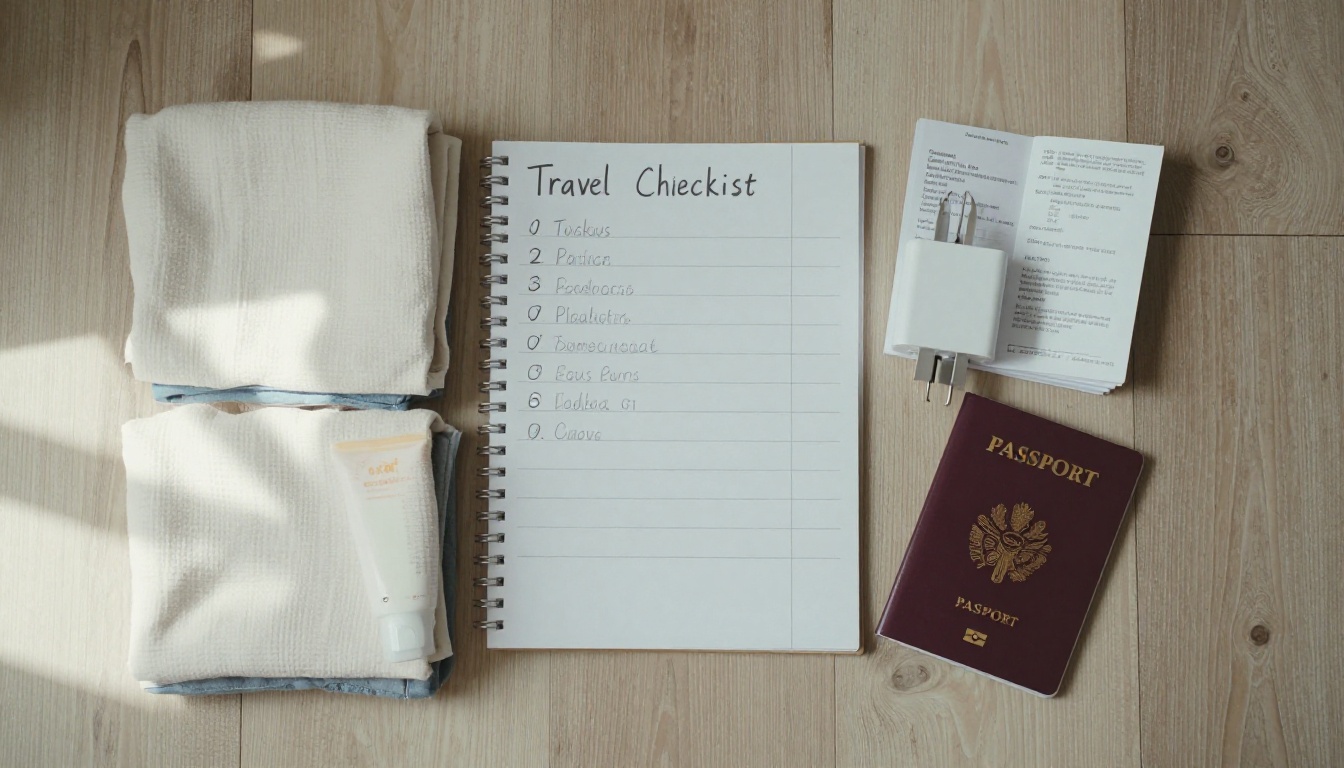
A packing list tailored to the actual itinerary is one of the most appreciated pages. Pair it with a monthly weather table and clothing advice.
Emergency Contacts and Local Customs
Include a 24-hour operator phone number, local emergency numbers, hotel addresses in local script, and short notes on tipping, dress codes, and etiquette.
Packet Contents at a Glance
Not every trip needs every section. Use this table to decide what to include.
| Section | City Break | Multi-Day Tour | Adventure Trek | Cruise or Group Charter |
|---|
| Welcome letter | Yes | Yes | Yes | Yes |
| Daily itinerary | Short | Detailed | Detailed | Detailed |
| Visa and health notes | If needed | Yes | Yes | Yes |
| Packing list | Brief | Full | Gear specific | Full |
| Fitness expectations | No | Sometimes | Mandatory | Rarely |
| Emergency contacts | Yes | Yes | Yes | Yes |
| Optional excursions | Brief | Yes | Sometimes | Yes |
| Cultural etiquette | Brief | Yes | Yes | Yes |
The Right Timeline for Sending Each Piece
Sending everything at once overwhelms people. Sending pieces too late creates panic. A staged schedule works best, with one master packet that you update rather than replace.
| Timing | What to Send | Purpose |
|---|
| At booking | Confirmation and welcome note | Reassure the traveler |
| 60 days out | Visa and health checklist | Leave time for paperwork |
| 30 days out | Full packet with itinerary | Let guests plan and pack |
| 14 days out | Packing list and weather update | Prompt final purchases |
| 3 days out | Meeting point, contacts, last changes | Remove last-minute doubt |
| Departure day | Short reminder message with link | Point to the live packet |
✅ Best practice: Send the same link every time. When the packet is a single online document, you can edit a page and every traveler sees the update instantly, with no new attachment to lose.
Why a Live Link Beats Attachments
An attached PDF is frozen the moment you send it. If a hotel changes or a meeting time shifts, guests still hold the old version. A hosted flipbook updates in place, so everyone reads the current plan.
Common Mistakes Operators Make
Even experienced teams repeat a handful of errors. Fixing them takes little effort.

- Sending huge files. A 40 MB PDF bounces from inboxes and eats mobile data.
- Using tiny text. Documents designed for print are painful on a phone.
- Mixing marketing with logistics. Keep sales content in a separate section so essential details stay easy to find.
- Skipping the "why." Explain why you recommend certain shoes or why a visa takes weeks.
- Forgetting offline access. Guests may have no signal at the airport or on a mountain.
⚠️ Warning: Never bury the emergency phone number on page 14. Put it on the first page and repeat it on the last.
The Problem With Email Threads
Email threads are searchable in theory and unusable in practice. Travelers rarely scroll back to find the third message about luggage limits.
The Problem With Print Only
Printed packets look lovely but cannot be updated, cost postage, and leave international guests waiting. Print can still be a nice extra, but digital should be the source of truth.
Turning Your Packet Into a Flipbook
This is where the right tool saves hours. Instead of exporting a PDF and attaching it, you can convert the same file into an interactive, page-turning document. The PDF to Flipbook Converter handles the conversion, and the dedicated Travel Guide Flipbook tool suits itineraries and destination notes.

How to Build Your Packet Step by Step
- Create your document. Write the packet in Word, Canva, or Google Docs using one page per topic. Use large fonts and generous spacing.
- Export to PDF. Keep the file under 25 MB by compressing images.
- Sign in. Go to Flipbooks AI and create an account or log in.
- Upload the PDF. The platform converts every page into a smooth page-turning flipbook in seconds.
- Apply your branding. Add your logo, pick your brand colors, and choose page effects that fit your style.
- Add multimedia. Embed a welcome video from your guide, a short audio greeting, or a map link.
- Set sharing options. Copy the direct link, grab an embed code for your booking page, or add password protection for private groups.
- Send the link. Share it by email and message, then update the same flipbook whenever details change.
💡 Pro tip: Use password protection for private charters and corporate groups so itinerary details stay between the people on the trip.
Features Operators Appreciate
- ✅ No watermarks, ever, so the packet looks like yours
- ✅ Mobile-responsive design that reads well on any phone
- ✅ Custom branding with your logo and colors
- ✅ Embedded videos and audio for guide introductions
- ✅ Offline downloads for guests with limited signal
- ✅ Password protection for private trips
- ✅ Analytics and lead generation on the Professional plan
Checking Who Opened the Packet
On the Professional plan, analytics show which travelers opened the packet and which pages they viewed. If a guest has not opened it ten days before departure, a friendly nudge is easy to justify. See the pricing plans to compare tiers.
Operators usually choose between four ways to deliver a packet. Here is how they stack up.
| Feature | Email Attachments | Printed Booklet | Web Page | Flipbook |
|---|
| Updates after sending | No | No | Yes | Yes |
| Works on a phone | Poor | N/A | Good | Excellent |
| Offline access | Yes | Yes | Rarely | Yes |
| Embedded video and audio | No | No | Yes | Yes |
| Looks like a real booklet | No | Yes | No | Yes |
| Tracks who opened it | No | No | Sometimes | Yes |
| Cost per traveler | Free | High | Low | Low |

Real Examples From the Field
Packets look different depending on the trip. These three scenarios show how the same structure adapts.
A Coastal Hiking Operator
A small company running walking tours along a cliff coastline sends a packet with a fitness self-check, a boot checklist, and a map of each day's route. Because trails change after storms, they update the flipbook the evening before a departure. Guests simply reopen the same link.
A Boutique Hotel and Tour Partnership
A hotel that bundles guided day trips uses a packet to explain check-in, local recommendations, and optional excursions. A page for hotel brochures style content sits beside the itinerary, so the upsell feels like helpful advice rather than a sales pitch.
A Family Trip Planner
A family-focused operator sends a packet with kid-friendly activity pages, snack tips, and rainy day backups. Parents review it together the evening before departure, which cuts down on the "what are we doing tomorrow" questions on the road.

Writing Tips for Packet Pages
Strong design matters, but clear writing matters more. A few habits go a long way.
- Lead each page with the single most important fact
- Use bold for times, places, and deadlines
- Keep sentences short and avoid travel industry jargon
- Add a small "What to expect" box to each day
- Use tables for schedules, prices, and contact lists
- Write in a friendly voice that sounds like your guides
A Simple Page Template
Try this layout for each day of the itinerary:
- Day number and location as the heading
- A two-sentence summary
- A three-row table with morning, afternoon, and evening
- A short note on meals and walking distance
- One tip from your local guide
Keeping Your Team Aligned
Whoever builds the packet should be the same person who checks it against supplier confirmations. A short review meeting with the guides before each season catches outdated hotel names and closed restaurants.

Quick Checklist Before You Send
Run through this list before every departure:
| Check | Done |
|---|
| Names and dates match the booking | ☐ |
| Meeting point has an address and a map link | ☐ |
| Emergency number is on page one | ☐ |
| Visa and health notes are current | ☐ |
| Packing list matches the season | ☐ |
| Links and videos open correctly | ☐ |
| Mobile view reads cleanly | ☐ |
| Password set if the trip is private | ☐ |
Ready to Build Yours?
A great packet takes the stress out of the final weeks before a trip, for the traveler and for your team. Start with one clean PDF and turn it into something guests enjoy opening.
- Ready to create your first packet? Get started for free on Flipbooks AI.
- Browse all flipbook tools to find a template for itineraries, brochures, and event programs.
- Compare pricing plans to pick the tier that includes analytics and password protection.
- Prefer a quick start? Open the Embed Flipbook on Website tool to place your packet right on your booking page.



