Your Instagram bio has exactly one clickable link. Most businesses use it to point to their homepage, which tells a visitor nothing specific and gives them no reason to stay. If you sell products, run a seasonal collection, or manage a restaurant menu, that one link should go somewhere people actually want to click: your catalog. Putting your catalog link in your Instagram bio is one of the simplest high-leverage moves available to any product-based business on the platform, and most brands still get it wrong.
This article breaks down exactly how to put your catalog link in your Instagram bio, what format your catalog needs to be in so people stay on it, and how to write bio copy that turns a follower into a visitor. It also covers the tools worth using, including Flipbooks AI, which lets you convert any PDF catalog into a mobile-ready, interactive flipbook in minutes.
Why Your Instagram Bio Link Is Premium Real Estate
One Link, One Shot
Instagram gives every account exactly one clickable link in the bio. Unlike other platforms that allow multiple links in posts, Instagram's architecture funnels every call to action in your posts, Stories, and Reels toward that single point: "Link in bio." That phrase appears in millions of captions every day. The question is whether your link is ready for the traffic it promises.
Most small businesses send that traffic to a general homepage. A homepage designed for all audiences, all products, and all purposes is designed for no one specific. A catalog link, by contrast, meets people with exactly what they came for when they tapped "link in bio."
What the Wrong Link Costs You
When a follower taps your bio link after seeing a product post, they arrive expecting to see products. If they land on a homepage with navigation menus, blog posts, contact forms, and a hero image about your brand story, they click away. Instagram's internal data consistently shows that bio link bounce rates are highest when the destination does not match the content in the feed.
💡 Think of your bio link as a direct answer. Your post raises the question. The link delivers the answer. A catalog page that matches your feed content converts better than any homepage ever will.
What Makes a Catalog Link Worth Tapping
Static PDFs vs. Interactive Flipbooks
Not all catalog formats are equal when it comes to Instagram traffic. A static PDF forces users to download a file, wait for it to open in a PDF reader, and pinch-to-zoom on small product images. An interactive flipbook loads instantly in a browser, displays beautifully on mobile, and lets users swipe through pages the way they already swipe through Instagram itself.
Here is how the two formats compare across the metrics that matter most for social media traffic:
| Feature | Static PDF | Interactive Flipbook |
|---|
| Mobile experience | Poor, requires PDF app | Excellent, browser-native |
| Load speed | Slow, full file download | Fast, streamed pages |
| Page-flip interaction | None | Realistic swipe and flip |
| Shareable link | Direct download trigger | Clean, short URL |
| Analytics | None | Clicks, views, page depth |
| Branding | Basic | Full custom colors and logo |
| Embed capability | No | Yes, websites and emails |
| Password protection | No | Yes, Professional plan |
The difference matters most on mobile, where over 80% of Instagram traffic originates. A flipbook catalog built with Flipbooks AI opens in the same browser tab without any download step, which removes the biggest friction point between a follower and your products.
Mobile Speed and First Impressions
You have about three seconds before a mobile user decides whether to stay on your catalog or go back. Page load time is the single biggest factor in that decision. Interactive flipbooks that stream pages on demand load faster than full PDF files because they only render what the user is currently viewing.
⚠️ A catalog that takes more than four seconds to load loses more than half its mobile visitors. If your current bio link points to a PDF download, you are giving away traffic with every tap.
4 Steps to Add Your Catalog Link to Instagram
Step 1: Build Your Digital Catalog
Before you can add any link to your bio, you need a catalog that lives on the web. This means your catalog cannot be a file sitting on your computer. It needs to be a published URL that anyone with the link can open in a browser.
The fastest path there:
- Create or export your existing catalog as a PDF
- Upload it to Flipbooks AI and create a free account
- Publish it with one click to get a permanent, shareable URL
- Copy that URL for your bio
If you do not have an existing catalog PDF, the Digital Catalog Maker tool lets you build and publish one without needing separate design software.
Step 2: Get a Clean, Short URL
Instagram bios display links as plain text with a visible character limit. A long URL with tracking parameters looks messy and can make followers hesitate before tapping. Flipbooks AI automatically generates clean, short URLs for every published flipbook, which look professional in the bio and are easy to read at a glance.
If you want to add UTM tracking parameters (recommended for measuring Instagram traffic specifically), use a URL shortener after copying your flipbook link. This lets you see in Google Analytics exactly how many visitors came from your Instagram bio versus other sources.
Step 3: Edit Your Instagram Bio
Updating your bio link takes about 20 seconds:
- Open Instagram and go to your profile page
- Tap Edit profile
- Find the Website or Links field (the field name depends on your account type)
- Paste your catalog URL into the field
- Tap Done or the checkmark to save
On a business account, Instagram displays your link with a tap-able underline below your bio text. On a Creator account, placement may look slightly different, but the link is always the first tap-able element in the profile.
Step 4: Write Bio Copy That Drives Taps
The link alone does not make people click. Your bio text has to tell them what to expect and why it is worth their time. Compare these two approaches:
Weak: "Shop online. New collections available."
Strong: "Browse our full spring catalog below." followed by the link on the next line.
The second approach creates a direct visual and verbal connection between the bio text and the link. Followers read the instruction, look down, and tap. The action is frictionless because there is no ambiguity about what happens next.
✅ Best practice: Make the last visible line of your bio text a setup for the link. "Full catalog below," "See all products here," and "Tap to browse this season's collection" all outperform generic phrases like "shop now" or "visit our website."

Create Your Catalog with Flipbooks AI
The core Flipbooks AI feature relevant here is simple: convert any PDF catalog into a shareable, mobile-ready flipbook in minutes. Here is how the full process works from start to published link.
Upload Your PDF
- Go to Flipbooks AI and sign in or create a free account
- From your dashboard, click New Flipbook
- Drag and drop your PDF catalog file into the upload area
- The platform converts it automatically, which takes seconds for most catalog files
The system supports multi-page PDFs of any size. Whether your catalog is 8 pages or 80 pages, the conversion process handles it without manual intervention.
Customize and Brand It
After upload, personalize the flipbook before publishing:
- Brand colors: Set primary and secondary colors to match your catalog design
- Logo placement: Upload your logo to appear in the flipbook viewer header
- Page effects: Choose the realistic page-flip animation speed and style
- Background: Set the viewer background to match your brand aesthetic
These steps take about two minutes and make a visible difference in how the catalog appears when a follower taps your bio link for the first time. A branded flipbook signals professionalism immediately on arrival.
Copy Your Shareable Link
Once you are satisfied with the preview, click Publish. Flipbooks AI generates a permanent URL for your flipbook. Copy it, and that is the link that goes into your Instagram bio.
💡 If you want to keep your catalog private while still sharing it via the bio link, enable password protection from the flipbook settings. Only people with the password can view it. This works well for wholesale buyers, VIP clients, or pre-launch product access.
The Product Catalog and Fashion Catalog tools offer specialized templates that make the PDF creation step faster if you are starting from scratch rather than uploading an existing file.
Bio Link Strategies That Actually Work
The Direct Catalog Link Approach
The simplest strategy is also the most effective for most businesses: one link, one catalog, updated seasonally. When your spring collection launches, update the bio link to your spring catalog flipbook. When summer arrives, publish the summer flipbook and swap the link. Each season, followers who tap get fresh, current content that matches what they are seeing in your feed.
This approach works because it keeps the bio link relevant to whatever content you are actively posting. If you are running spring pieces in March, the bio link should go to the spring catalog, not a general archive from six months ago.
Using a Link-in-Bio Tool
If you want to surface multiple catalogs simultaneously, a link-in-bio tool like Linktree or Later's link page lets you put one short link in your bio that opens a small landing page with multiple options. You might offer:
- "Spring Collection 2025"
- "Accessories Catalog"
- "Wholesale Catalog" (password protected via Flipbooks AI)
Each option links to its own flipbook. The bio link goes to the landing page, and followers choose which catalog they want to browse. This approach works well for businesses with multiple product lines or distinct audience segments.
Rotating Seasonal Catalogs
For businesses with frequent new inventory, rotating the catalog link is a content strategy, not just a maintenance task. Each rotation gives you a reason to post: "New catalog just dropped, link in bio." That caption drives traffic spikes every time you use it, and every tap goes to a fresh, relevant catalog that shows what is actually available right now.
💡 Publish your new catalog flipbook a day before the announcement post goes live. That way the link is active and ready the moment followers start tapping.
Different businesses have different catalog needs. Here is how the most common formats compare when used as an Instagram bio link destination:
| Format | Best For | Instagram Compatibility | Load Speed | Shareability |
|---|
| Interactive flipbook | All product businesses | Excellent | Fast | High, clean browser link |
| Static PDF | Internal documents only | Poor | Slow | Low, triggers download |
| Shopify product page | Single product links | Good | Fast | Medium |
| Google Slides | Slide presentations | Fair | Medium | Medium |
| Canva public link | Simple lookbooks | Good | Fast | Medium |
| Flipbooks AI flipbook | Catalogs, menus, brochures | Excellent | Fast | High |
The interactive flipbook consistently wins on Instagram compatibility and shareability because it behaves like a native web page: it opens in the browser tab, has a stable permanent URL, and does not require any app or plugin to view.

Real-World Use Cases by Industry
Fashion and Apparel Brands
Fashion brands on Instagram have some of the most purchase-ready audiences on the platform. When a follower sees a product they like in a post, they tap "link in bio" expecting to browse more of the same. A flipbook catalog built with the Fashion Catalog tool gives them that experience: full lookbook pages, outfit pairings, size charts, and price lists all in one swipeable format.
A small boutique with 5,000 followers that swaps its bio link from a general Shopify storefront URL to a seasonal flipbook catalog typically sees a measurable increase in time-on-page from bio link traffic, because the catalog keeps visitors browsing longer than a single product page does.
Home Decor and Furniture Shops
Home decor customers want to see how products look in context, not just isolated product shots. A flipbook catalog created with the Furniture Catalog tool can include room scenes, product specs, and collection groupings that tell a visual story. When a customer taps the bio link after seeing a sofa they liked in a Reel, they arrive at a catalog showing that sofa in three different room settings alongside complementary pieces. That context is what drives purchase decisions.
Restaurants and Cafes
Restaurants use Instagram to show food, and the most common call to action they use is "link in bio" for a menu. A PDF menu download is a poor experience on mobile. A flipbook menu created with the Restaurant Menu Creator opens instantly, displays cleanly on every screen size, and can be updated any time prices or items change without changing the bio link URL.

Instagram Insights for Bio Link Clicks
Instagram business accounts show Website taps in their Insights dashboard under the Profile Activity section. After you update your bio link to your catalog, check these numbers daily for the first week. Two signals matter most:
- Website taps: The raw count of people who tapped your link
- Tap-to-profile-visit ratio: What percentage of profile visitors actually tapped the link
A low tap rate, typically below 5%, means your bio copy is not making a strong enough case. Revise the line above your link and test a different call to action for a week. A high tap rate means the link is compelling, and the next priority is driving more profile visits through posts, Stories, and Reels.
Flipbook Analytics
Professional plan users on Flipbooks AI get access to per-flipbook analytics including total views, unique visitors, pages viewed, and average time spent on the catalog. This data tells you not just how many people tapped your bio link, but what they did after they arrived.
💡 If visitors consistently drop off on page 3 of your catalog, that is a signal: either that page is less compelling than the rest, or the catalog ordering needs adjustment. Analytics let you optimize the catalog itself, not just the link pointing to it.
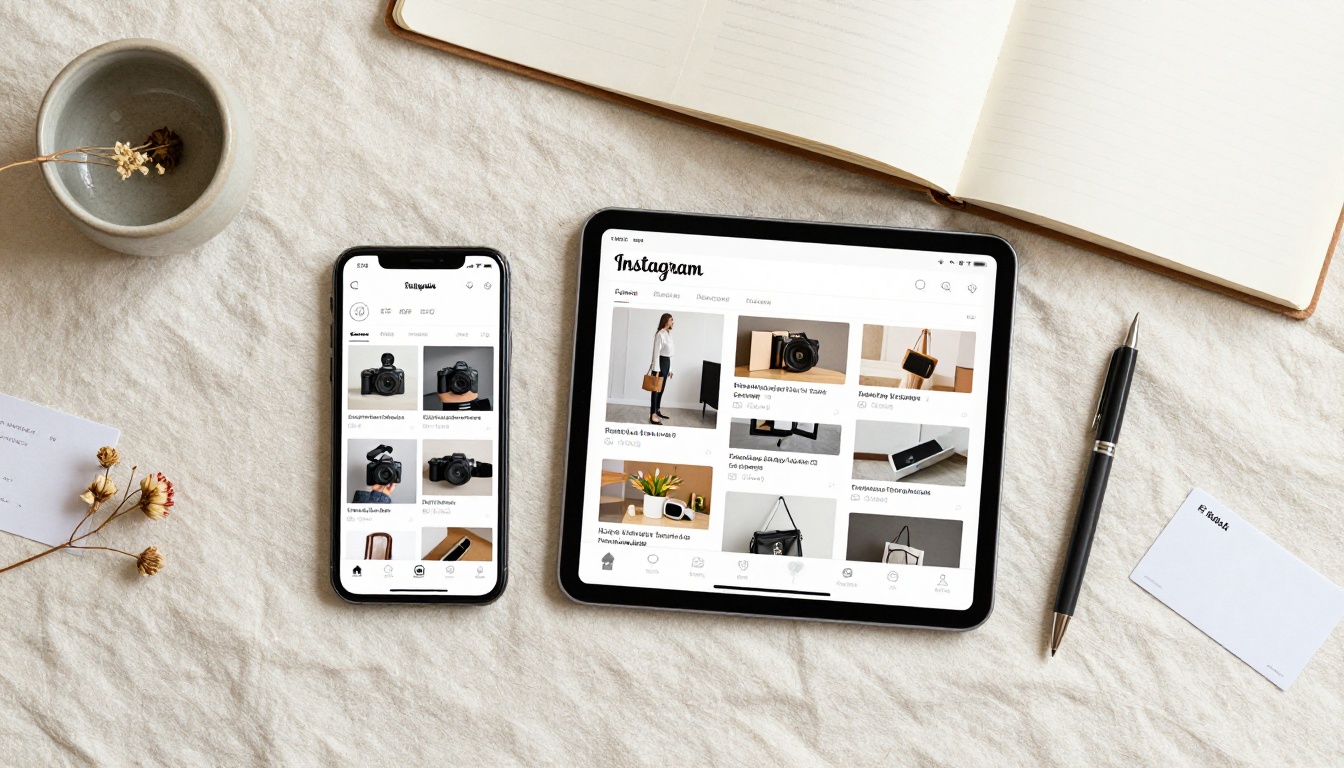
Choosing the Right Plan for Your Catalog
Flipbooks AI offers several plans depending on how many catalogs you need and which features matter most. Here is how the plans compare for businesses using a catalog as their Instagram bio link:
| Plan | Flipbooks | Watermark | Analytics | Password Protection | Offline Download |
|---|
| Free | 1 | Yes | No | No | No |
| Starter | 10 | No | No | No | No |
| Standard | Unlimited | No | No | Yes | No |
| Professional | Unlimited | No | Yes | Yes | Yes |
For most small businesses with one active Instagram account and one or two seasonal catalogs, the Standard plan is the right fit: unlimited flipbooks, no watermark, and password protection for VIP or wholesale catalog access.
For businesses that want to track exactly how Instagram bio link traffic behaves inside their catalog, the Professional plan adds the analytics layer that turns a catalog into an actual data source, not just a pretty PDF replacement.
Your Bio Link, Actually Working
Your Instagram bio is not a placeholder. Every follower who visits your profile and does not tap your bio link is a missed opportunity, and the fix is not complicated. Build a catalog that opens fast, looks great on mobile, and matches what you are posting in your feed. Then put that link in your bio and tell people exactly what they will find when they tap it.
Create your flipbook catalog for free on Flipbooks AI and have a shareable link ready in under ten minutes. Browse all catalog tools to find the template that fits your product type and industry. Or check pricing plans if you need analytics or unlimited catalog storage for a growing product line.
The link in your bio changes everything about how your Instagram profile converts. One catalog, one clean link, one line of bio copy that sets it up. That is all it takes.



