Every freelancer and agency owner has gone through the same motion. You wrap up the project, export the PDF, open WeTransfer, drag the file in, copy the link, paste it into an email, and hit send. It takes thirty seconds and feels completely normal.
But here is what happens on the other end. Your client gets an email with a WeTransfer link. It works, for now. They might download the file that day, or they might bookmark it for the weekend. They might try to open it three weeks later in a meeting, only to see a page that says the link has expired. Or they forward it to a colleague who tries to open it on their phone and gets a download prompt they cannot be bothered with.
None of this reflects the quality of your work. And none of it has to happen. Flipbooks AI lets you share documents that open instantly in the browser, never expire, carry your branding, and show you exactly who viewed them and when. The difference in how clients experience your deliverables is immediate and lasting.
This is about why the WeTransfer habit is working against you, and what a genuinely professional client sharing experience looks like.
What's Actually Wrong with WeTransfer Links
On the surface, WeTransfer does what it says. Files go from point A to point B. But the file transfer problem was solved decades ago. What professionals need today is a document presentation experience, and WeTransfer was never designed to deliver that.

There are three specific ways WeTransfer fails the modern professional relationship.
Links Expire at the Worst Moment
Free WeTransfer links disappear after 7 days. Paid plans extend this to 365 days, but that is still not permanent. The moment a client tries to retrieve your proposal from six months ago because they are finally ready to move forward, they hit a dead link.
This puts you back at the beginning: re-uploading the file, sending a new link, explaining what happened. It is a small disruption, but in a client relationship, small disruptions add up. They communicate that your work has an expiration date, even when the work itself is timeless.
⚠️ A link that expires is worse than no link at all. It tells a client that re-accessing your work requires your active intervention every time.
No Brand Identity in the Delivery
When a client clicks your WeTransfer link, the first thing they see is WeTransfer's interface. WeTransfer's colors, WeTransfer's fonts, WeTransfer's download button. The entire experience of receiving your deliverable belongs to a third party.
For a designer or creative agency, this is especially painful. You spent hours on typography and layout, and the moment a client goes to access it, the frame around it belongs to someone else's generic platform. The delivery contradicts the work.
Clients Have to Download to See Anything

WeTransfer is a file transfer tool, not a document viewer. Every single person who receives your link has to download the file before they see a single page of your work. On mobile, this means finding a PDF reader, hoping it renders correctly, and navigating a file that was not designed to be scrolled on a 6-inch screen.
In an era where every web page opens instantly on any device, requiring a download is friction you added for no reason. Clients notice it, even if they never say so.
What Clients Expect From Professional File Delivery
Understanding what clients actually want makes the problem with WeTransfer obvious. Their expectations are simple, and none of them are unreasonable.
Something They Can Open Instantly

The link should open in the browser, immediately, on any device, without downloading anything. This is the baseline for every modern web experience. A client who receives your proposal at 2pm on a Tuesday and has 90 seconds before a call should be able to open it, flip through it, and have a clear impression of your work before they dial in.
That is not possible with a WeTransfer link. It is possible with a browser-based interactive document. The entire viewing experience happens in the tab, without plugins, without downloads, and without any friction between the client and your work.
A Link That Works in 3 Months
Clients forward proposals to their business partners. Finance teams archive vendor documents for the quarter. Marketing managers share your brand guidelines with their internal team two months after you delivered them.
The link has to work at every one of those moments. Not for 7 days, not for a year. It needs to be permanently accessible. The value of your deliverable does not have an expiration date, and neither should the link to it.
Something That Feels Like You Made It
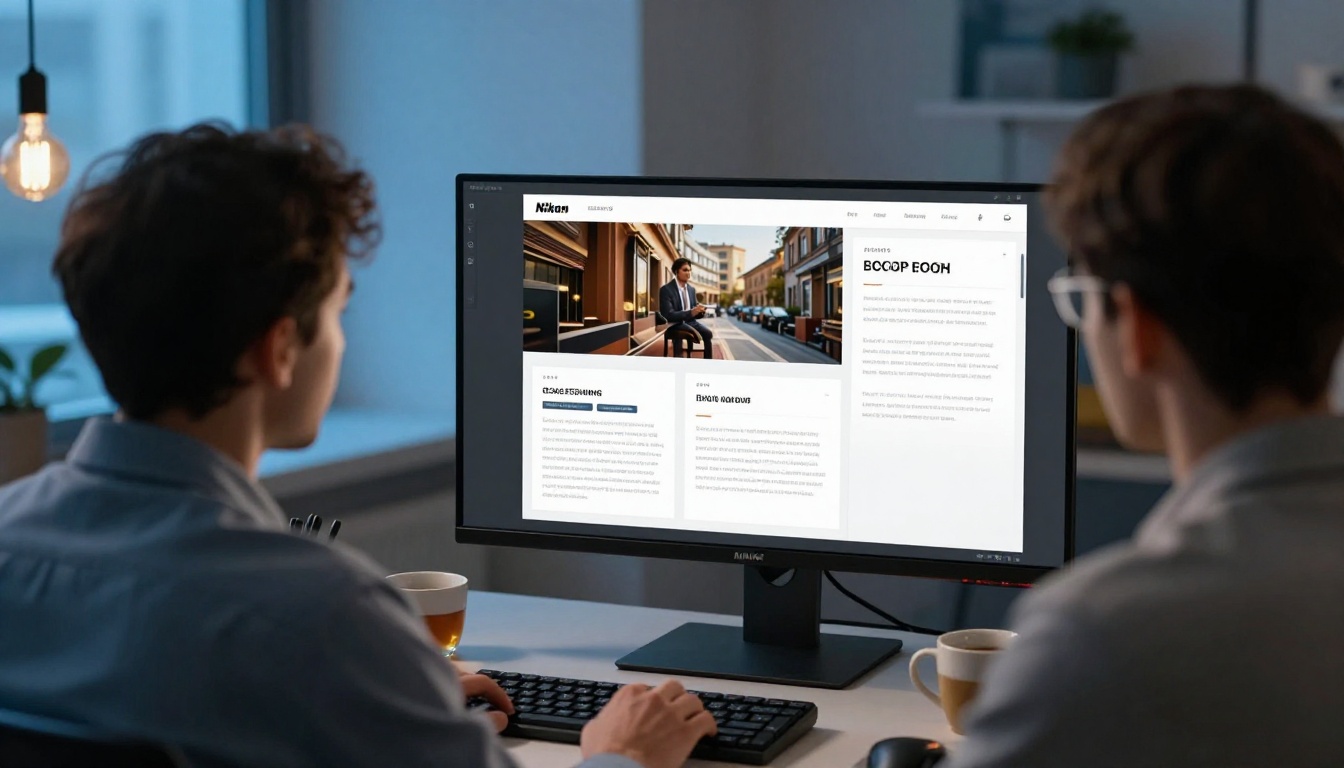
This one is subtler but arguably the most important. When a client opens your portfolio, proposal, or catalog, the delivery method should feel consistent with your brand. If you are a premium agency charging premium rates, the document should arrive inside an experience that reflects that.
A well-branded interactive flipbook, with your logo, your colors, and smooth page-turn navigation, communicates care and craft at the moment of delivery in a way that a generic download screen simply cannot replicate.
The Real Cost to Your Professional Image
When you line up what WeTransfer offers against what a professional sharing experience delivers, the gap is significant across every dimension clients actually care about.
| Feature | WeTransfer Free | WeTransfer Pro | Professional Sharing |
|---|
| Link expiration | 7 days | 365 days | Never |
| In-browser preview | No | No | Yes |
| Custom branding | No | No | Yes |
| Page-turn interaction | No | No | Yes |
| Analytics and viewer data | No | No | Yes |
| Password protection | No | Yes | Yes |
| Mobile-optimized viewing | Download only | Download only | Fully responsive |
| Embed in your website | No | No | Yes |
| Per-document cost | Free | Included | Included |
💡 The distinction is fundamental: WeTransfer was built to transfer files. What most professionals actually need is a tool built to present documents, and those are very different products.
Every row in that table is a moment where the client experience either reinforces or undermines your professional reputation. The cumulative effect of all those small frictions adds up to something your clients feel, even if they cannot articulate why your competitor's proposal felt more polished than yours.
Better Options Worth Considering
The market for professional document sharing has matured significantly. Several tools can replace WeTransfer for client-facing work, but they vary considerably in how polished the resulting experience is.
| Tool | In-Browser View | Custom Branding | Permanent Links | Analytics | Best For |
|---|
| WeTransfer Pro | No | No | 1 year | No | Large file transfers |
| Google Drive | Basic viewer | No | Yes | No | Internal team sharing |
| Dropbox | Basic viewer | No | Yes | No | File sync and share |
| Notion | Yes | Limited | Yes | No | Notes and wikis |
| Flipbooks AI | Yes, page-turn | Full branding | Yes | Yes | Client documents |
| Issuu | Yes | Limited | Yes | Limited | Public publications |
Flipbooks AI stands out specifically for client-facing work because it covers the two things other tools consistently leave out: a genuinely beautiful in-browser presentation with page-turn animation, and full custom branding so the document viewer looks like yours, not the platform's.
Google Drive and Dropbox offer permanent links, but the viewer experience is functional rather than impressive. If you are sharing a proposal or portfolio with a prospect for the first time, "functional" is not the impression you are trying to leave.
How to Share Files Professionally with Flipbooks AI

Making the switch to professional document sharing takes about ten minutes the first time. Here is exactly how it works.
Step 1: Upload Your PDF
Go to flipbooksai.com and create your account. Once you are inside the dashboard, click "Create New Flipbook" and upload your PDF. The tool works with any PDF: proposals, portfolios, catalogs, presentations, reports, event programs, brochures, or menus.
The PDF to Flipbook Converter processes the file and converts it into a fully interactive flipbook in seconds. Your layout, typography, and images are preserved exactly as you designed them. No reformatting, no manual rebuilding.
✅ On the Standard plan and above, you can upload unlimited flipbooks with no per-document fees. Create as many as your client roster requires.
Step 2: Add Your Branding
This step alone is worth switching for. Inside the Flipbooks AI editor, you can:
- Upload your logo to appear on the document viewer interface
- Set brand colors for navigation controls and UI elements
- Choose a background color or texture that matches your visual identity
- Add intro and outro page effects for custom framing
- Embed video or audio into specific pages if your document includes multimedia
The result is a document that looks entirely yours. When a client opens the link, the experience begins with your brand, not a generic platform's watermark.
Step 3: Share a Permanent Link
Once your flipbook is published, you receive a clean, permanent shareable link. It never expires. Send it in an email, drop it in Slack, include it in a pitch deck, or link to it from your website. The client clicks it and the document opens immediately in their browser, full-screen, with smooth page navigation on any device.
Additional sharing options include:
- Password protection for confidential proposals or sensitive client materials
- Embed code to place the flipbook directly inside a client portal or your agency website
- Lead capture forms before access on Professional plans, so every share becomes a data point
💡 Password-protecting a client proposal adds a layer of discretion that signals you take confidentiality seriously. It is a small detail clients notice and remember.
Step 4: See Who Viewed It

On the Professional plan, Flipbooks AI gives you viewer analytics: when the link was opened, which pages received the most time, how long each visitor spent on the document, and how far they read before closing the tab.
This changes your follow-up approach entirely. Instead of sending a generic check-in email two days after a proposal, you can see that the client opened it, spent eight minutes on the pricing section, but never reached the case studies at the back. That tells you exactly what to address in your next conversation.
WeTransfer tells you nothing after the download completes. Professional document sharing gives you the data to have smarter client conversations and close more of what you send.
Who Benefits Most
The case for switching away from WeTransfer applies broadly, but it is especially pronounced in three areas where document presentation and client perception directly affect revenue.

Designers and Creative Agencies
Portfolios, case studies, brand guidelines, client presentations, and project proposals are the core deliverables of creative work. Every one of these deserves to be experienced as an interactive document, not downloaded and scrolled through in a PDF reader.
The Digital Portfolio Creator and Portfolio Flipbook Builder let you turn a PDF portfolio into an interactive showcase that a prospect can browse beautifully on any device and share with a hiring manager or art director without the link ever dying.
Sales Teams and B2B Professionals
Sales decks, product catalogs, one-pagers, and RFP responses get forwarded to decision-makers you will never meet. The document has to represent your brand in rooms you are not in, with stakeholders who have never heard your pitch.
The Sales Presentation Flipbook and Corporate Report Maker ensure that when a CFO opens the link your account executive forwarded, the experience is polished, branded, and immediately credible rather than a bland viewer on someone else's platform.
Hospitality and Real Estate

Event proposals in hospitality and property brochures in real estate are almost always image-heavy and built to impress. Sending them as a WeTransfer download is a missed opportunity at the exact moment when first impressions matter most.
A hotel venue proposal sent as an interactive flipbook opens immediately, showcases every layout photo in crisp detail, and lets the event planner forward it to their committee without any friction. A real estate agent can share a Real Estate Brochure that buyers actually want to look at on their phones that evening, at home, over dinner, when they are most likely to make emotional decisions.
✅ In any industry where the document's job is to impress, the delivery method is part of the impression. Treat it that way and the results speak for themselves.
Pricing That Fits the Work
One concern with switching from a free tool is cost. Flipbooks AI keeps this simple with a tiered structure that scales with your volume.
| Plan | Price | What You Get |
|---|
| Free | $0/month | Test the platform, personal projects, watermarked output |
| Standard | Monthly subscription | Unlimited flipbooks, no watermarks, password protection, custom branding |
| Professional | Monthly subscription | Everything in Standard plus analytics, lead generation, offline downloads, priority support |
There are no per-document charges. You pay for the plan, not each flipbook. See current rates on the Flipbooks AI pricing page.
💡 If you send two proposals a month, a Standard plan subscription pays for itself the first time a client successfully opens a proposal that a WeTransfer link would have failed to deliver at the critical moment.
For agencies managing multiple clients simultaneously, the Professional plan is the right tier. Knowing which proposals were opened, which pages held attention, and how far each recipient read before closing the tab transforms follow-up from guesswork into informed conversation.
Ready to Send Something Better?
Reaching for WeTransfer has been the default for so long that it stopped feeling like a choice. It is just what happens when you need to send a file to someone.
But there is a real gap between sending a file and presenting your work. WeTransfer crosses it by moving bytes from one computer to another. What clients actually want is to experience your deliverable in the best possible format, on any device, at any time, without friction, without expiration, and without someone else's logo in the frame.
Create your Flipbooks AI account and convert your next client PDF before you send it. Spend ten minutes setting up your branding once, and every document you share going forward arrives as a polished, permanent, branded experience rather than a countdown timer attached to a generic download page.
Browse all available document tools and templates to find the right fit for your specific use case, or compare plan options to choose the tier that matches your volume.
Your clients are forming an impression of your professionalism from the moment they click the link. Make that moment work in your favor.



