You have a PDF catalog, a magazine or a brochure, and you want visitors to flip through it on your WordPress site instead of downloading a file they will never open. A flipbook plugin does exactly that, but the market is crowded, and the differences between tools only show up after you have installed one. This comparison ranks six options, from the best known WordPress plugins to a hosted alternative like Flipbooks AI, so you can choose with real trade-offs in front of you.
We looked at what actually matters on a live site: how the book loads, how it behaves on a phone, what the editor feels like, how much it weighs on your page speed, and how the licensing works. Plugin details change between releases, so treat the tables below as a decision framework and confirm current specs on each vendor's page before you buy.

What a Flipbook Plugin Actually Does
At its core, a WordPress flipbook plugin takes a PDF or a set of images and renders them as a book with a realistic page curl. Visitors click or swipe to turn pages, zoom in, jump to a page number and sometimes search the text. The best tools also let you add links, video and a table of contents.
Two Rendering Approaches
Most plugins use one of two engines. PDF.js based plugins read your PDF in the browser, which keeps text sharp and searchable but costs processing time on large files. Image based plugins convert each page into a picture ahead of time, which loads fast but loses text selection unless the vendor adds an OCR layer. Neither is better in every case. A 12 page menu behaves very differently from a 300 page manual.
Why the 3D Page Curl Matters
The page turn is not just decoration. In tests of catalog pages and lookbooks, a familiar book metaphor tells visitors immediately how to interact, which lowers confusion on first visit. For long reading, however, many publishers prefer a simple slider mode, so look for a plugin that offers both.
💡 Pro tip: Before you compare features, count your pages and check your PDF size. A 40 MB PDF will stress any browser based renderer, and compressing it first often matters more than the plugin you pick.
How We Ranked the Six Options
We scored each option on six criteria that affect a real project:
- Setup time: from install to a published book.
- Mobile behavior: touch gestures, zoom and layout on small screens.
- Performance: weight on page load and handling of large PDFs.
- Customization: colors, toolbar, branding and page effects.
- Interactivity: links, video, audio and table of contents.
- Licensing: free tier, paid tier and ongoing costs.
Who the List Is For
This ranking suits site owners, freelancers and agencies. If you publish one PDF a year, the free tier of a plugin may be plenty. If you build sites for clients who update catalogs every month, the editor and the license terms matter far more than the animation.
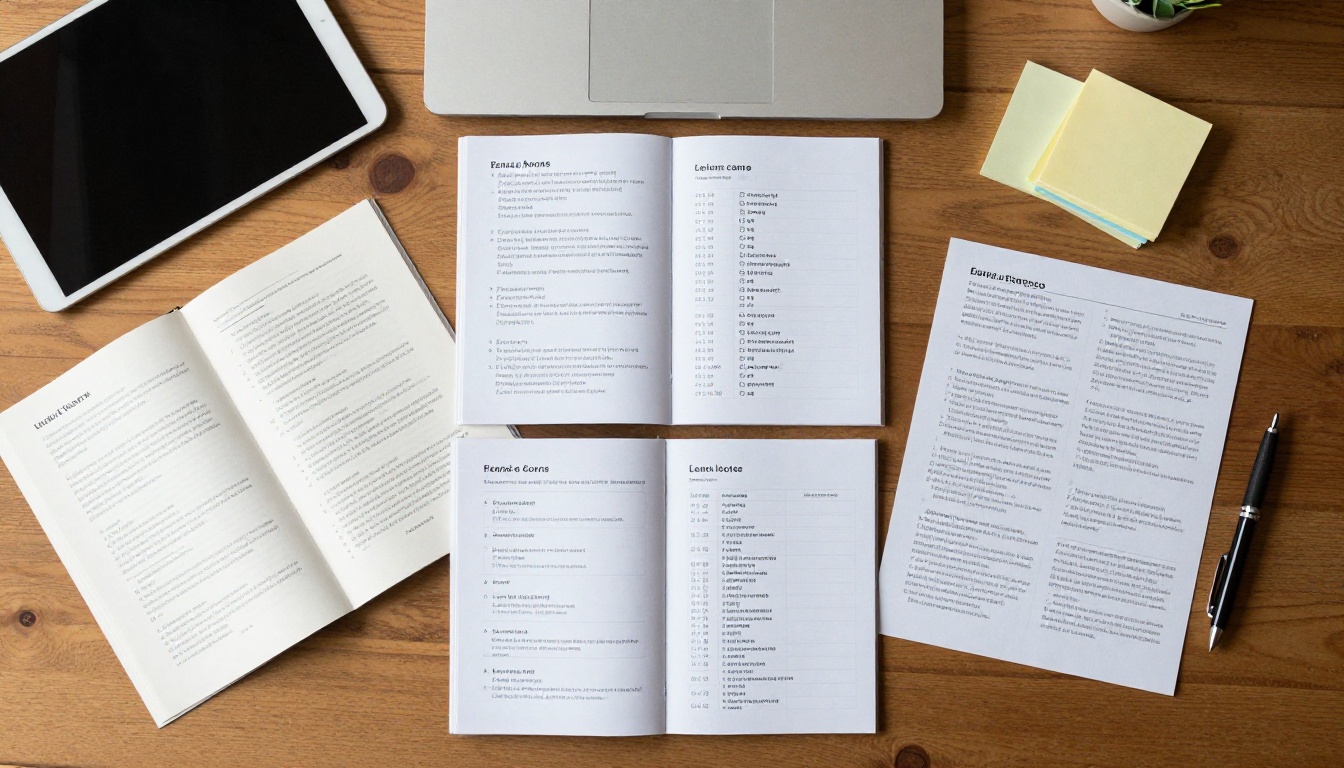
The Top 6 Compared
1. DearFlip
DearFlip is among the most installed flipbook plugins for WordPress, and it earns that spot with a gentle ramp for beginners and a wide set of display options. It offers a free version with core book viewing and a paid version that adds more layouts, a bookshelf style gallery and extra interactivity.
- Strengths: quick setup, a clear shortcode workflow, 3D and slider modes, popup and lightbox display, and a familiar WordPress admin screen.
- Trade-offs: the most attractive features sit in the paid version, and very large PDFs depend on the browser's PDF handling.
- Best for: bloggers, small businesses and agencies that want a dependable default.
2. Real3D Flipbook
Real3D Flipbook focuses on realism. Its page physics, lighting and shadows give the strongest sense of a physical book, and it supports a wide range of customization of the toolbar, menus and views. It works from PDFs or from images and is popular with designers who care about appearance.
- Strengths: realistic page curl, deep styling controls, support for page links and media, and options for lazy loading.
- Trade-offs: more settings means a steeper first hour, and heavy 3D effects can tax older phones.
- Best for: portfolios, magazines and premium brand pages where visual polish is the point.

3. 3D FlipBook
The plugin simply called 3D FlipBook is a long standing option that pairs PDF support with a light interface. It has a free edition and a premium edition, and it supports a table of contents, thumbnails and sharing buttons. Many developers like it for being straightforward and easy to restyle with CSS.
- Strengths: simple model, friendly to customization through code, supports both PDF and image sources.
- Trade-offs: the visual presets feel plainer than some rivals, so you may spend time on styling.
- Best for: developers who want control and a small footprint.
4. FlowPaper
FlowPaper takes a more document oriented approach. It is built around viewing PDFs with strong zoom, search and a clean reading experience, with flipbook style modes available as an option. It suits content where readers need to study pages, such as technical manuals and reports.
- Strengths: reading experience, zoom quality, support for searching inside a document.
- Trade-offs: the licensing structure is geared toward professional use, and the page curl is less of a headline feature.
- Best for: manuals, white papers and business documents.
5. A Lightweight Page Flip Plugin
Several smaller plugins build on open source page flip libraries. They load quickly, keep settings minimal and work well when you only need a basic book on one page. Expect fewer toolbar options, limited analytics and less polished mobile behavior than the leaders.
- Strengths: low overhead, simple interface, usually inexpensive or free.
- Trade-offs: limited support, fewer features, slower updates.
- Best for: a single brochure or a simple menu.
6. Flipbooks AI as a Hosted Alternative
Not every site needs a plugin at all. With Flipbooks AI you upload a PDF, the platform converts it, and you embed the result on WordPress with a short snippet. Because the book is hosted off your server, it does not add weight to your database or media library. It also keeps no watermarks, supports password protection, and gives you analytics on higher plans.
- Strengths: no server load, quick conversion, shareable direct links, and an embed tool for any website.
- Trade-offs: it is a hosted service with a subscription instead of a one time plugin purchase.
- Best for: teams that publish often, need analytics or want the same book on several sites.

Feature Comparison Table
This table summarizes how the six options typically differ. Plan details vary by version, so verify before you commit.
| Option | Rendering style | Customization | Free tier | Hosting model |
|---|
| DearFlip | PDF and images | High | Yes | Self hosted plugin |
| Real3D Flipbook | PDF and images | Very high | Limited or demo | Self hosted plugin |
| 3D FlipBook | PDF and images | Medium to high | Yes | Self hosted plugin |
| FlowPaper | PDF viewer, flip modes | Medium | Varies | Self hosted plugin |
| Lightweight page flip | Images or PDF | Low | Often yes | Self hosted plugin |
| Flipbooks AI | Converted from PDF | Medium to high | See pricing | Hosted, embedded |
How to Read This Table
A high customization score is not automatically a win. More controls mean more time spent configuring. If you publish fast and often, a medium score with a quick editor can save you hours every month.
Page speed is where flipbook plugins often disappoint. A heavy script on every page of your site hurts search visibility and bounce rate, so check how each plugin loads its assets.
Load Scripts Only Where Needed
Good plugins load their code only on pages that contain a book. If your plugin loads on every URL, use an asset manager to restrict it, or choose a tool that already handles this. Hosted embeds avoid the problem because the heavy rendering happens elsewhere.
Test on a Real Phone
More than half of visitors may open your flipbook on a phone. Open your book on a mid range device and check three things: swipe gestures, zoom without breaking the layout, and whether the toolbar fits the screen. A flipbook that looks beautiful on a desktop monitor but stutters on mobile quietly costs you readers.

⚠️ Warning: Do not judge a plugin by its demo page. Demos use small, optimized files. Test with your own largest PDF.
Pricing and Licensing Models
Plugin costs look simple until you read the license. Watch for these patterns:
- One time purchase with a single site license: cheap for one project, costly for agencies with many clients.
- Annual license for updates and support: your book keeps working after expiry, but you lose updates.
- Subscription for a hosted service: predictable cost, no server load, and features like analytics are included in higher tiers.
The Hidden Cost of Free
A free plugin can still cost you through slow support, missing features and the time spent building workarounds. When a tool saves you an hour a week, a paid license pays for itself quickly.
Quick Cost Scenarios
| Scenario | Likely best fit | Why |
|---|
| One brochure on a personal blog | Free plugin tier | Low need, low budget |
| Agency with ten client sites | Multi site license or hosted | Per site licenses add up |
| Monthly catalog updates | Hosted tool | Fast replace and re-share |
| Premium portfolio | Real3D Flipbook | Visual realism |

How to Pick the Right Plugin
Use this short checklist before you install anything.
- Count your pages. Under 50 pages, almost any option works. Over 200 pages, test performance first.
- List your must have features. Search, video, links, table of contents, password protection.
- Decide who edits. If non technical staff update the book, favor a simple editor.
- Check your hosting. Shared hosting struggles with heavy self hosted rendering.
- Plan for updates. If the PDF changes monthly, a hosted tool saves repeated uploads.
Real World Examples
- A restaurant with a seasonal PDF menu benefits from a quick conversion, which suits tools like the Restaurant Menu Creator.
- A fashion boutique publishing a seasonal lookbook wants strong visuals, so a realistic page curl plugin or the Fashion Catalog tool fits well.
- A real estate agency sharing property brochures needs fast loading on mobile and shareable links.
- A photographer presenting work needs image quality above all, which is where a portfolio flipbook shines.

How to Publish a PDF Without a Plugin
If you want to skip plugin maintenance, here is how to create and embed a flipbook with Flipbooks AI.
- Get started. Go to Flipbooks AI and create an account.
- Upload your PDF. Drag your file into the uploader. The platform converts every page and keeps the layout intact.
- Customize. Set your brand colors, add your logo, pick page effects and add video or audio where useful.
- Share. Copy a direct link, grab an embed code for WordPress, or protect the book with a password for private content.
- Track results. On the Professional plan, use analytics and lead generation to see who reads and how far they get. Offline downloads are available too.
Pasting the Embed in WordPress
In the block editor, add a Custom HTML block, paste the embed code and publish. Because the book loads from an external source, your pages stay light. The Flipbooks AI tools directory lists more specialized options for catalogs, menus, brochures and magazines.
✅ Best practice: Name your PDF clearly and compress images before upload. A smaller source file speeds up every viewer on every device, whichever tool you choose.

Our Verdict and Next Step
If you want a safe starting point inside WordPress, begin with DearFlip. If appearance is the priority, test Real3D Flipbook. For code friendly projects, 3D FlipBook is a solid choice, and FlowPaper serves document heavy sites. Pick a lightweight plugin for one simple book, and choose a hosted route when you update often, need analytics or want the same flipbook on more than one site.
Ready to try the hosted route? Get started for free on Flipbooks AI, browse all available tools and templates, or compare pricing plans to see which fits your publishing schedule.