Every online tutor knows the feeling. You spend an hour crafting clean, structured session notes, export them as a PDF, drop the link in the chat, and watch the student never open it again. The file sits in a downloads folder somewhere, forgotten. The problem is not your notes. The problem is the format.
Flipbooks AI gives tutors a direct way to convert those same PDF notes into interactive, page-turning flipbooks that feel alive. Students scroll. Students revisit. Students actually read.
This is how you turn online tutoring notes into a flipbook that works.
Why Static Notes Stop Working
The attention problem with PDFs
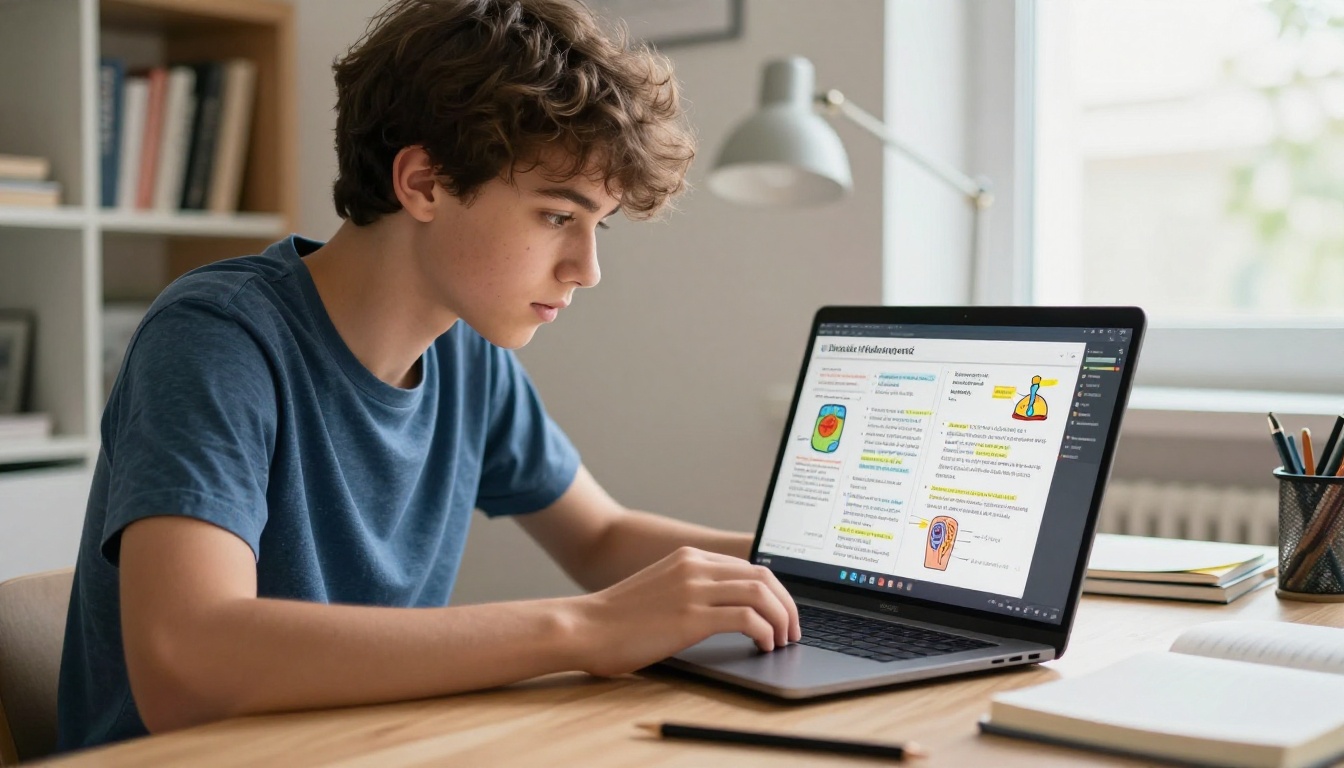
A PDF is a dead document. It opens flat, scrolls linearly, and offers no signal to the reader about how long it is, how far they have come, or what is worth their focus. For a student already fatigued from a one-hour online session, clicking a PDF link is the last thing that feels rewarding.
Research on digital reading behavior consistently shows that scrollable documents on mobile cause readers to skim rather than read. Most students open a PDF once, maybe twice, and never return to it when studying. The format signals "this is boring admin material" before a single word is read.
What students do with flat files
In practice, students treat PDF notes like receipts. They save them as proof that a session happened rather than as actual study material. Surveys of online tutoring students across major platforms consistently find that fewer than 40% report going back to review tutor-provided PDFs before a test.
Compare that to interactive digital content, where return visit rates climb significantly. The physical metaphor of turning a page, even on a screen, changes how people engage with reading material. It signals: this has structure, this has an end, this is worth my time.
What a Flipbook Does Differently
Page-turning changes reading behavior
The page-turn is not a gimmick. It is a psychological cue that tells the reader: this content has chapters, this content has progress, this content ends. That sense of navigability is powerful for studying. Students can see a thumbnail of every page at a glance, jump to the section they need, and feel a sense of accomplishment as they work through it.
A flipbook built with the Course Material Publisher on Flipbooks AI gives you that experience from a simple PDF upload. The page animation, the navigation bar, the thumbnail strip, all of it is generated automatically.
Visual flow vs. walls of text
Flipbooks reward good layout. When a tutor formats their notes with clear headings, diagrams, and spaced-out sections, those elements come alive in a flipbook. A heading that got buried on page 3 of a PDF becomes a clearly navigable chapter. A diagram that looked cramped in a document viewer fills the screen beautifully when rendered as a flipbook page.
Students who open your flipbook on a phone during their commute are not fighting a tiny scrollable PDF. They are tapping through pages, each one a digestible unit of information.
💡 If your notes are currently rough drafts in a Word document or Google Doc, spend 10 minutes cleaning up headers and page breaks before exporting to PDF. The flipbook will look dramatically better.
Not every tutoring subject translates the same way. Here is a breakdown of which note formats benefit most from the flipbook treatment.
| Subject Type | Note Style That Works Best | Why It Shines in Flipbook |
|---|
| Math / Physics | Step-by-step worked problems, one per page | Students can pause on each step, attempt it, then flip |
| Biology / Chemistry | Diagrams with labeled callouts | Full-page diagrams are easy to study at a glance |
| Languages | Vocabulary tables, conjugation charts | Clean, scannable format; easy to revisit specific pages |
| History / Humanities | Timelines, essay frameworks, source quotes | Chronological flow maps naturally to page order |
| Test Prep | Practice questions then answers on next page | Page turns create a natural reveal mechanic |
STEM notes with diagrams
Science and math notes are the biggest winners when converted to flipbook format. A worked calculus problem that spans three steps becomes three pages, allowing a student to attempt each step themselves before turning the page. A chemistry diagram that was squashed into a PDF column now fills the entire screen with labeled clarity.
✅ For STEM subjects, design each page to contain one concept, one problem, or one diagram. Resist the urge to pack everything onto one page.
Language and vocabulary sheets
Language tutors often send students vocabulary lists, grammar tables, and conjugation sheets. In a PDF, these look like homework. In a flipbook, they become a visual reference that students return to repeatedly between sessions. The tactile act of flipping to the right page makes retrieval feel intentional.
History timelines and essay frameworks
For humanities subjects, the linear flow of a flipbook mirrors the chronological structure of history. A timeline of World War II events becomes a story told page by page. Essay frameworks laid out across five pages become a step-by-step writing process a student can follow without getting lost.
How to Create Your Tutoring Flipbook
This is where the actual work happens. The process is faster than you think, and no design experience is required.
Step 1: Organize your notes into a clean PDF
Before uploading anything, structure your notes so each page has a clear purpose. Use your word processor or note-taking app (Notion, Google Docs, OneNote) to format the document with:
- Clear H1 and H2 headings for each section
- One concept or topic per page (use explicit page breaks)
- Numbered steps where sequence matters
- Diagrams and images embedded at full width, not floating
Export as PDF. That PDF is your source file. The quality of your flipbook is directly proportional to the quality of your PDF layout.
⚠️ Do not upload a scan of handwritten notes as-is. While flipbooks can display them, typed and formatted notes produce far better results for students studying independently.
Step 2: Upload to Flipbooks AI
Go to Flipbooks AI and create a free account. Once logged in:
- Click New Flipbook from your dashboard
- Select Upload PDF
- Drag your notes PDF into the upload area
- Wait for the conversion, usually under 60 seconds for a 20-page document
The platform automatically converts every page into a high-resolution flipbook spread. The PDF to Flipbook Converter handles all rendering automatically, no technical steps required on your end.

Step 3: Brand and customize
Once converted, you have full control over how the flipbook looks and behaves:
- Branding: Add your tutoring logo and choose a color scheme that matches your brand
- Front page: Upload a custom image with the subject name and session date
- Page effects: Choose between hard pages, soft pages, or scroll mode
- Background: Select a background texture or color for the reading experience
- Multimedia: Embed audio explanations directly into specific pages for async support
For tutors running a structured course, the Training Manual Flipbook template is a strong starting point. The Course Material Publisher works well for longer, chapter-based study materials.
Step 4: Share with your students
Sharing is where flipbooks beat PDFs completely. Instead of a file attachment that requires a download, you send:
- A direct link: One URL, opens instantly in any browser, no app or download needed
- An embed code: Drop the flipbook directly into your tutoring platform, LMS, or personal website
- Password protection: Restrict access to your paying students only (Standard plan and above)
- QR code: Print it on a physical handout so students can scan and open the flipbook immediately
💡 For group tutoring sessions, share the flipbook link in a shared class chat so all students have it simultaneously. For 1-on-1 sessions, send the link immediately after the session while the material is still fresh in the student's mind.

Flipbook Features Every Tutor Should Know
Flipbooks AI is not just a PDF converter. It is a full publishing platform with features that are specifically built for professional content creators and educators.
| Feature | What It Does | Plan |
|---|
| No watermarks | Your flipbook looks professional, not promotional | All plans |
| Password protection | Restrict access to paying students | Standard+ |
| Unlimited flipbooks | Create one per session without hitting limits | Standard+ |
| Analytics | See which pages students viewed and for how long | Professional |
| Lead generation forms | Collect student emails when they open the flipbook | Professional |
| Offline downloads | Students can save for offline study | Professional |
| Mobile-responsive design | Works on any phone or tablet, no app needed | All plans |
| Custom branding | Logo, colors, custom domain | Standard+ |
| Embed video and audio | Add recorded explanations directly into pages | Standard+ |
The case for analytics in tutoring
The analytics feature deserves special attention. With the Professional plan, you can see exactly which pages your students spent the most time on and which ones they skipped entirely. That is direct, actionable feedback. If every student skips page 4 of your calculus notes, that page needs a rewrite or a recorded audio explanation attached.
This kind of data is something no PDF or Google Doc can give you. It turns your note delivery into a feedback loop.
Embedding audio explanations
One of the most practical features for tutors is the ability to embed audio directly into flipbook pages. Record a 90-second voice walkthrough of a difficult concept, attach it to the relevant page, and your student hears your voice walking them through it when they study at home. This is async tutoring built directly into the study material.
It helps to see these options side by side before committing to a workflow.
| Format | Shareability | Student Attention | Mobile Friendly | Analytics | Cost |
|---|
| PDF attachment | High | Low | Poor | None | Free |
| Google Docs link | High | Medium | Decent | None | Free |
| Notion page | Medium | Medium | Good | None | Free |
| Flipbook | Very High | High | Excellent | Yes (Pro) | Low |
| Recorded video | Medium | High | Good | Limited | Medium |
Flipbooks sit in the sweet spot: the shareability of a link, the appeal of a dynamic format, and the scannability of a document. Students can pause on a page, jump to a section, zoom into a diagram, and listen to embedded audio, all in one place.

Real Scenarios Where Tutors Use Flipbooks
The SAT prep tutor: After each session, the tutor creates a one-page PDF recap of the three strategies covered, exports it, and uploads it to Flipbooks AI. The student receives a link immediately after the session. The flipbook is five pages: front page, three strategy pages, and one practice problem. It takes 8 minutes to create and the student revisits it before every practice test.
The online ESL tutor: The tutor builds a weekly vocabulary flipbook for each student, organized by category. Week 1 is food vocabulary, Week 2 is travel, Week 3 is professional language, and so on. Students flip through them on their phones during their commute, and the familiar page-turning format makes it feel less like studying and more like reading a magazine.
The high school chemistry tutor: After covering stoichiometry, the tutor uploads their worked example notes as a flipbook. Each problem occupies two pages: the setup on the left, the solution on the right. Students attempt the setup page before turning to check their work. The page-turn becomes a self-testing mechanic built directly into the material.
The university math tutor: The tutor creates a semester-long formula sheet flipbook with one formula per page, a visual explanation, and a worked example. The flipbook grows as the semester progresses, updated before each exam. By finals week, students have a 40-page interactive formula reference they have been using all semester.

Building a Flipbook Workflow That Sticks
The most effective tutors treat the post-session flipbook as a non-negotiable deliverable, not an occasional extra. Here is a simple repeatable workflow that takes less than 15 minutes after each session:
- During the session: Take notes in a Google Doc or Notion, organized by heading and one topic per section
- Immediately after: Clean up headers, add page breaks, export as PDF
- Upload: Drag the PDF into Flipbooks AI, wait for conversion
- Customize: Add your logo and session date to the front page
- Within 15 minutes: Share the link with the student via chat or email
- Next session: Open the previous flipbook together to review what was covered
This creates a growing library of session material that students can reference before exams. Over a semester, a student might accumulate 30 to 40 flipbooks covering every topic you worked on together. That is a genuinely valuable resource, and it cost you almost nothing to create.
✅ Name each flipbook consistently: Subject, Topic, Date. For example, "Chemistry, Acids and Bases, May 2026". This makes it easy for students to find specific sessions when reviewing before a test.

Pricing That Fits Any Tutoring Setup
Most independent tutors are operating on lean margins. The good news is that Flipbooks AI pricing is built for small operators, not just enterprise teams.
| Plan | Best For | What Is Included | Monthly Cost |
|---|
| Free | Trying it out | Limited flipbooks, watermark on export | $0 |
| Standard | Active tutors | Unlimited flipbooks, no watermark, password protection, custom branding | Low |
| Professional | Tutoring businesses | Analytics, lead generation, offline downloads, custom domain | Medium |
For a solo tutor seeing 5 to 10 students per week, the Standard plan covers everything needed. For tutoring agencies or structured online courses with multiple instructors, Professional gives you access to analytics and lead capture tools that make the platform genuinely useful for business operations.
See the full breakdown on the pricing page and pick what matches your current setup.
Your Students Will Actually Study This
The flipbook format works because it respects how people actually consume content on screens in 2027. Short pages. Clear navigation. Works on any device. No friction to open.
When a student opens your tutoring notes as a flipbook on their phone the night before a test, they are not just passively reviewing. They are working through structured material in a format that feels designed for them, because it is.
Ready to try it? Create your free account on Flipbooks AI and upload your first set of notes today. It takes less than five minutes from PDF to published flipbook.
Browse all tools and templates for education, business, and creative publishing to see what else the platform can do. And when you are ready to access analytics and professional sharing features, take a look at the available plans to find what fits your tutoring setup.