Most volunteer handbooks die in a desk drawer. A coordinator spends three weeks writing 40 pages, hands out printed copies on orientation day, and by the second shift nobody can find the parking instructions. The best volunteer handbook examples for nonprofits and museums share one trait: they are short, specific, and easy to open on a phone at 7:45 on a Saturday morning. This article walks through real structures, sample wording, and a build process using Flipbooks AI so your handbook becomes something people actually use.

Why Most Handbooks Fail
Walk into almost any small nonprofit and ask for the volunteer handbook. You will get one of three answers: a dusty binder, a PDF buried in a shared drive, or a nervous laugh. The problem is rarely effort. It is format and length.
Here are the usual failure points:
- Too long. Volunteers skim anything past 20 pages, and they skim fast.
- Written for lawyers. Policy language first, welcome last.
- Impossible to update. A reprinted binder costs money, so errors stay for years.
- Hard to reach. A PDF attachment lost in an email thread is not a handbook.
- No visuals. Walls of text with no photos of the building, the badge, or the people.
💡 Pro tip: Ask three recent volunteers what they wish they had known in their first week. Their answers beat any template for deciding what goes on page one.
What Every Handbook Needs
Whether you run a food pantry or a regional art museum, the core sections barely change. What changes is the order and the tone.
| Section | Purpose | Typical Length |
|---|
| Welcome and mission | Explains why the work matters | 1 page |
| Who to call | Names, roles, phone numbers | 1 page |
| Your first shift | Arrival, parking, check-in, badge | 1 to 2 pages |
| Roles and tasks | What each position does | 3 to 5 pages |
| Rules and conduct | Behavior, confidentiality, social media | 2 pages |
| Safety and emergencies | Exits, first aid, incident reporting | 1 to 2 pages |
| Recognition and growth | Hours, thank-yous, new roles | 1 page |
| Forms and links | Waivers, schedules, feedback | 1 page |
Notice that the whole thing lands near 12 to 16 pages. That is the sweet spot. Anything longer should become a separate role-specific document.
Museum Handbook Examples
Museums have a particular challenge: volunteers act as the public face of the institution, so the handbook is part training manual and part brand document.

The Docent Handbook
A strong docent handbook opens with the collection story, not the dress code. A mid-sized art museum might structure it like this:
- Welcome from the director (half a page, with a real photo)
- How a visit flows, from entrance to gift shop
- Gallery notes, one short block per room with three talking points each
- Handling visitor questions, including the ones nobody has an answer to
- Accessibility basics, such as wheelchair routes, quiet hours, and sensory-friendly kits
- Object safety rules, kept to one page with plain wording
Sample wording that works: "If a visitor asks something you do not know, say 'Great question, let me find out,' and ask the front desk. Nobody expects you to be an encyclopedia." That single sentence removes more anxiety than a page of policy.
The Front Desk and Events Handbook
Front desk volunteers need speed, not stories. Their handbook should be a quick-reference layout with the answers to the ten most common questions: ticket prices, coat check, restrooms, photography rules, lost items, and school group arrivals.
✅ Best practice: Put a one-page "Top 10 Questions" spread near the front. Volunteers return to it more than any other page.
Nonprofit Handbook Examples
Community nonprofits tend to run on warmth and flexibility. Their handbooks should feel like a friendly neighbor, not a compliance office.

Food Bank and Pantry Handbooks
Food banks lean on checklists. A good example puts the shift flow up front: arrive, wash hands, sign in, pick a station, and rotate every hour. Each station gets a half-page with a photo and three bullet instructions. Temperature rules for cold storage and lifting limits get bold callouts.
Community Garden and Environmental Groups
Seasonal work calls for seasonal pages. A garden handbook might include a calendar table showing which tasks happen in which month, a tool inventory with photos, and a short section on working safely in heat. These handbooks benefit most from images, since volunteers need to tell weeds from seedlings.
Animal Shelters and Youth Programs
Here the handbook carries heavier safety content: handling procedures, background checks, mandatory reporting, and boundaries with children. Put these in a clearly marked section and keep the language direct. Warm, short paragraphs around them keep the document from feeling cold.
Side by Side: Four Organizations
Different missions need different emphasis. This table compares how four common organization types weigh each section.
| Organization | Biggest Section | Tone | Best Format |
|---|
| Art museum | Gallery talking points | Polished, curious | Visual flipbook with photos |
| Food bank | Station checklists | Practical, upbeat | Short pages, large type |
| Community garden | Seasonal calendar | Relaxed, hands-on | Photo-heavy, mobile first |
| Youth program | Safety and conduct | Clear, careful | Sectioned with sign-off page |
How to Write the Welcome Page
The first page decides whether the rest gets read. Skip the mission statement paragraph that every organization already has on its website. Instead, tell one small story: the afternoon a volunteer helped a family find their grandmother's favorite painting, or the Saturday when forty boxes of produce reached forty households.

A Simple Welcome Formula
- One sentence on what you do
- One short story showing the result
- One sentence on what the volunteer's role changes
- A name and a phone number of a real person
Keep the Tone Human
Use "you" and "we." Replace "Volunteers shall arrive no later than" with "Please arrive 10 minutes early so we can find you a spot." People follow requests they understand and ignore decrees.
Rules Without the Lecture
Conduct and policy sections are where handbooks get stiff. You still need them, but you can write them as shared agreements.
- Confidentiality: "What you hear about our clients stays here."
- Social media: "Share your day, but ask before posting anyone's face."
- Attendance: "If you cannot make a shift, text your lead by noon the day before."
- Conflict: "Bring concerns to your coordinator first. We want to hear them."
⚠️ Warning: Have legal counsel or your board review anything touching liability, minors, or data protection. Plain wording does not replace a proper review.
Safety Pages That Get Used
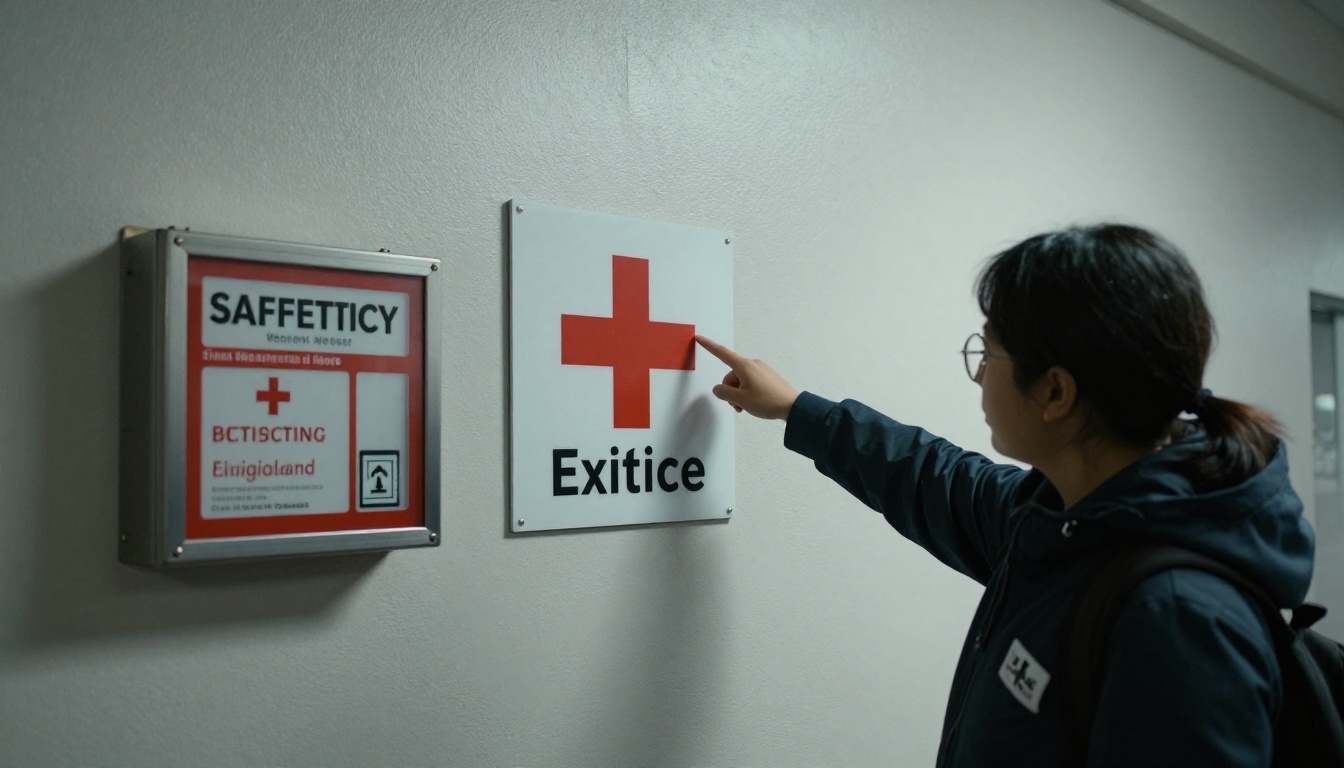
Safety content is the one place where images are not optional. Show the exit routes, the first aid kit location, and the person to call. A photo of the actual hallway beats a floor plan nobody can read.
Print, PDF, or Flipbook
Format affects whether volunteers open the handbook at all. Here is how the three common options compare.
| Feature | Printed Binder | Plain PDF | Digital Flipbook |
|---|
| Update cost | Reprint every time | Re-send the file | Edit once, link stays the same |
| Phone friendly | No | Poor, pinch and zoom | Yes, mobile responsive |
| Embedded video | No | No | Yes |
| Access control | Whoever holds it | Anyone with the file | Password protection available |
| Reading data | None | None | Analytics on higher plans |
A flipbook keeps the familiar feel of turning pages while giving you one link to share by text, email, or a QR code on the volunteer room wall.

How to Build One with Flipbooks AI
If you already have a draft in Word or Google Docs, you are about an hour from a finished digital version. The steps below use the PDF to Flipbook Converter.
- Create an account. Sign up on Flipbooks AI and open the dashboard.
- Export your draft as a PDF. Keep pages in landscape or portrait consistently, and use large type for phone readers.
- Upload the file. The conversion turns each page into a flip-style page automatically, with no watermarks.
- Add your branding. Pick your organization's colors, add a logo, and choose a page-turn effect that fits your tone.
- Insert multimedia. Embed a two-minute welcome video from the director or an audio note for the docent section.
- Set sharing options. Copy a direct link, grab the embed code for your volunteer portal, or turn on password protection for sections with sensitive contact details.
- Publish a QR code. Print it on a small sign for the volunteer room so people can open the handbook on their own phones.
For nonprofit teams that also publish yearly impact summaries, the Non-Profit Annual Report tool uses the same workflow, and the Training Manual Flipbook tool suits role-specific supplements.
Analytics and Lead Capture
On the Professional plan you can see which pages get opened most, which tells you what volunteers care about and what confuses them. It also supports lead capture forms, useful for turning handbook readers into newsletter subscribers or donors. Compare options on the pricing page.
💡 Pro tip: If page 9 gets ten times the views of page 4, move the popular content forward and simplify the rest.
Keep It Alive After Launch
A handbook is a living document. Schedule a review twice a year, ideally right after your busiest season. Use this short checklist:
- Check that every phone number and name still belong to the right person
- Replace outdated photos with current ones
- Add new FAQs from the past six months of questions
- Remove rules that nobody follows or enforces
- Ask two new volunteers to read it and mark anything confusing
Because a flipbook keeps the same link when you replace the file, volunteers never need a new URL, and the QR code on the wall stays valid.

Measure What Matters
Simple signals tell you whether the handbook works: fewer repeated questions at check-in, fewer missed shifts, and faster time from sign-up to a confident first solo task. Track these for a quarter before and after the new version goes live.
Real-World Scenarios
A small history museum with 25 volunteers replaced a 60-page binder with a 14-page flipbook. The front desk "Top 10 Questions" spread alone cut interruptions to staff, and the director updated hours in two minutes when the winter schedule changed.
A regional food bank placed a QR code at each station linking to a station page. New volunteers started work faster because the instructions were literally in front of them.
A youth arts program used password protection for the safety and contact section, while keeping the welcome and schedule pages open to parents.

Quick Reference: Handbook Checklist
Before you publish, run through this table.
| Check | Done When |
|---|
| Length | 12 to 16 pages or fewer |
| Welcome | Starts with a story and a real name |
| First shift | Parking, door, badge, and lead named |
| Safety | Photos of actual exits and kit locations |
| Mobile test | Opened and read on a phone |
| Sharing | One link and one QR code ready |
| Review date | Next update added to the calendar |

Build Yours This Week
You do not need a designer or a month of meetings. Draft the welcome page, copy the section table above, add photos of your own space, and publish. Ready to create your first volunteer handbook? Get started for free on Flipbooks AI, browse all flipbook tools to find the right template for your organization, or compare pricing plans to choose what fits your budget. When your team can open the handbook with one scan, the best volunteer handbook examples stop being examples and become your own.



