Coaches spend months building a program. They design the curriculum, write the content, organize the modules, and then send their clients a PDF. A static, unbranded, impossible-to-navigate PDF that gets downloaded once and forgotten in a Downloads folder forever. That's the gap between what coaches intend and what clients actually experience, and it's exactly why more coaches are switching to interactive flipbooks for program delivery. Flipbooks AI has become the go-to platform for coaches who are serious about both the content and the client experience surrounding it.

What's Actually Wrong With PDFs
PDFs were built for printing, not for delivering coaching experiences. They don't reflect who you are as a coach, they don't track whether clients are reading them, and they certainly don't make a client feel like they've invested in something worth their time and money. Yet most coaches default to PDF because it's familiar and fast.
The problem isn't just visual. It's psychological. When a client receives a flat, unformatted document, they immediately categorize it as low-effort content. Compare that to receiving a polished, branded digital program they can flip through like a real publication, and the difference in perceived value is enormous. One signals "I threw this together," the other signals "I built this for you."
Clients Don't Finish What They Can't Navigate
A 60-page PDF coaching program is not enjoyable to read. Scrolling through pages in a PDF reader creates friction at every step. Clients lose their place. They can't easily jump between modules. There's no visual flow guiding them through the experience. The result: clients rarely finish the program, results suffer, and satisfaction drops.
Coaches who measure client outcomes consistently find that the harder their program materials are to access and navigate, the fewer clients follow through. The format of delivery directly affects behavior, not just perception.
PDFs Kill Your Brand
Every coach talks about personal branding, but then hands clients a document that looks like a corporate report. There are no brand colors, no logo placement, no typographic hierarchy that feels intentional. When your program materials don't match your website, your social presence, or the experience you've promised, clients feel the disconnect.
That disconnection is subtle but powerful. It erodes confidence. Clients start to wonder whether the quality of the content matches the quality of the packaging. And when it doesn't, you're working twice as hard to prove your value.
What a Flipbook Does That PDFs Cannot
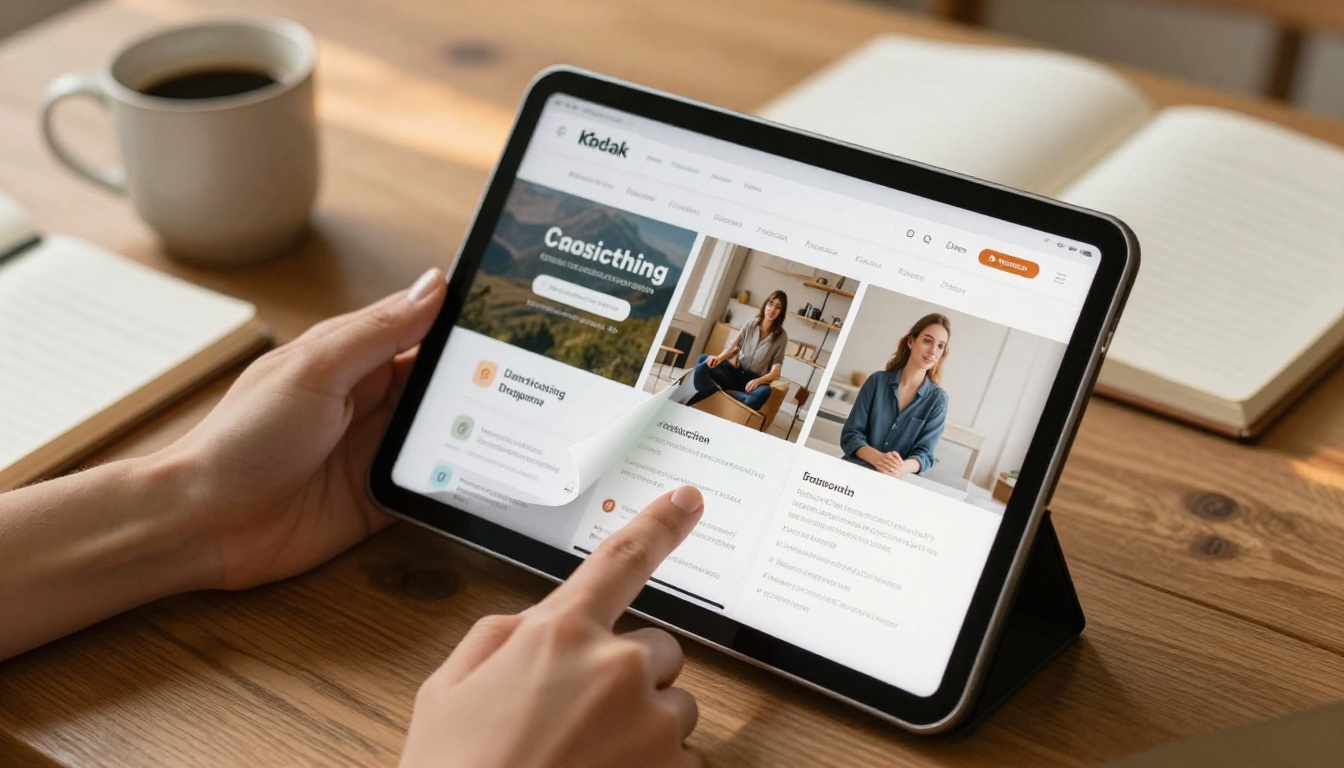
A digital flipbook is a PDF transformed into an interactive, page-turning publication. Think of it as the digital version of a beautifully printed program workbook. Clients can flip through pages, click embedded links, navigate using a clickable table of contents, and access the whole thing from any device, phone, tablet, or desktop.
Flipbooks AI converts any PDF into a fully branded, interactive flipbook in minutes. No design skills required. No special software to install. Just upload, customize, and share.
💡 The best flipbooks feel like a premium product. Clients who feel they've received something premium are more likely to read through the content, finish the program, and leave strong testimonials.
Interactive Pages That Keep Clients Moving
Unlike PDFs, flipbooks are built for navigation. Clients can:
- Jump to any module with a single click using the built-in table of contents
- Flip pages with smooth, natural animations that make the experience feel intentional
- Zoom in on specific diagrams, worksheets, or frameworks
- Access embedded links and external resources without ever leaving the document
- Return to bookmarked pages across sessions without losing their place
This reduces friction drastically. When a client can find what they need in three seconds instead of scrolling for three minutes, they actually use the program.
Your Brand, Front and Center
Flipbooks AI lets you apply full custom branding to every flipbook you create. Your logo, your color palette, your fonts, and your tone of voice, all rendered consistently across every page of the program. The result is a client experience that reinforces your professional identity before they've read a single word of content.

Real Coaching Use Cases That Work
Flipbooks aren't just for polishing aesthetics. They solve real operational problems coaches face every week. Here are the situations where coaches are seeing the biggest results.
Onboarding Packets That Actually Impress
First impressions matter enormously in coaching. When a client signs a contract and receives a beautifully designed onboarding flipbook, the tone of the entire relationship shifts. They feel confident. They feel cared for. They feel like they made the right decision.
A coaching onboarding flipbook typically includes:
- A warm welcome message and program overview
- Expectations, boundaries, and communication protocols
- Module-by-module breakdown with timelines
- Tools, resources, and portal access links
- FAQs and immediate next steps
All of this packaged in a branded, flippable format that clients actually want to read through. You can create one using the Course Material Publisher tool, purpose-built for structured educational and coaching content.

Program Curriculum Delivery
Delivering a multi-week coaching curriculum via PDF is logistically messy. You end up emailing individual files, managing version control, and fielding "which file was it again?" messages from clients three weeks into the program.
With a flipbook, the entire curriculum lives in one shareable link. Update the content, re-upload the PDF, and the link stays the same. Clients always have the most current version without any extra communication on your end.
✅ Use the Training Manual Flipbook tool for structured multi-module coaching programs with sequential chapters and exercises.
Accountability Workbooks and Exercises
Many coaches use workbooks alongside their programs. These are interactive documents clients fill out between sessions to track progress and apply what they're learning. When these workbooks are designed as flipbooks, they feel more intentional and more valuable. Clients treat them with more care and are more consistent about working through them.
Group Programs and Live Workshops
Running a group coaching program or in-person workshop? A flipbook-based program resource gives every participant the same polished experience. Each person gets the same link, no printing costs, no version confusion, and no "I forgot my materials at home" moments.

How to Build a Coaching Program Flipbook
Creating your first flipbook on Flipbooks AI takes less time than most coaches expect. Here's the exact process from PDF to published program.
Step 1: Design Your PDF
Create your coaching program in whatever tool you prefer: Canva, Adobe InDesign, Google Slides, or a Word document exported to PDF. The layout, content, and structure all come from your existing design. The flipbook platform handles the conversion.
Step 2: Upload to Flipbooks AI
Go to flipbooksai.com and create your account. From your dashboard, click "New Flipbook" and drag your PDF into the upload area. The system processes your file and generates a live preview within seconds.

Step 3: Apply Your Branding
In the editor, set up your brand identity:
- Upload your logo to appear on every page
- Set your brand colors for the interface and navigation bar
- Choose background styles, page flip effects, and viewer typography
- Add your custom domain for a fully white-labeled link
Step 4: Set Sharing and Access Rules
Choose how clients access the flipbook:
- Public link: Anyone with the URL can view it, ideal for free lead magnets
- Password protection: Private programs stay private, clients get the password with their contract
- Embed code: Drop the flipbook directly into your client portal, website, or membership platform
⚠️ For premium coaching programs, always use password protection. It reinforces exclusivity and protects your intellectual property from being shared beyond paying clients.
Step 5: Share and Track Results
Copy the link and send it to clients via email, your client portal, or a messaging platform. On the Professional plan, you'll see real-time analytics showing who opened the flipbook, how long they spent on each page, and which sections they returned to most. That behavioral data is invaluable for improving your program with each cohort.
Not sure how flipbooks compare to the tools you're already using? Here's a direct breakdown:
| Feature | Static PDF | Course Platform | Flipbook |
|---|
| Page-turn experience | No | No | Yes |
| Custom branding | Limited | Template-based | Full control |
| Password protection | No | Yes | Yes |
| Analytics | No | Yes | Yes (Professional) |
| Shareable via single link | Yes | Sometimes | Yes |
| Embed on website | No | Sometimes | Yes |
| Offline downloads | Yes | Rarely | Yes |
| Setup time | Instant | Hours to days | Minutes |
| Client learning curve | Low | Medium | Very low |
| Cost for solo coaches | Free | $29 to $200+/mo | From free |
Flipbooks sit in the best position for most coaching businesses: simpler and faster than a full course platform, far more professional and functional than a static PDF.

Plan Options for Coaches at Every Stage
Flipbooks AI offers pricing tiers suited to coaches whether you're just starting out or running a scaled coaching business with multiple programs and client groups.
| Plan | Best For | Standout Features |
|---|
| Free | Testing your first flipbook | 1 flipbook, basic sharing, standard branding |
| Standard | Solo coaches with active client rosters | Unlimited flipbooks, custom branding, no watermarks, password protection |
| Professional | Scaling businesses and group programs | Analytics, lead generation forms, offline downloads, priority support |
💡 Most solo coaches find the Standard plan covers everything they need for day-to-day program delivery. Move to Professional when you want behavioral data on how clients engage with your content.
Visit the pricing page to see a full breakdown of what's included at each tier before committing.
3 Mistakes Coaches Make With Program Delivery
Even coaches who make the switch to flipbooks sometimes get a few things wrong at first. Here's what to avoid so you don't repeat the most common missteps.
1. Uploading a poorly designed PDF
A flipbook converts what you give it. If your PDF is cluttered, uses inconsistent fonts, or lacks visual hierarchy, the flipbook will reflect that. Spending an extra hour on your PDF design before uploading is worth every minute.
2. Skipping the branding setup
The platform gives you full branding tools, and coaches who skip this step miss the single biggest value differentiator the tool offers. A 10-minute branding session in the editor, adding your logo, setting your colors, choosing a clean viewer theme, completely changes how the final product feels to clients.
3. Using one unprotected link for all clients
If you use the same public flipbook link for every client, you have no control over who accesses it or how far it gets shared. Use password protection on all paid program content, and consider creating separate flipbooks for different program tiers rather than giving everyone access to the same document.

Why Program Delivery Is a Personal Branding Decision
The way you deliver your program is a direct reflection of your brand. Coaches who send polished, professional materials attract higher-paying clients and retain them longer. The investment in presentation signals that you take your work seriously, and clients draw the logical conclusion: if the packaging is this deliberate, the content must be too.
A flipbook is not just a tool. It is a statement about how much you value the client's experience. Coaches who make that statement consistently, across every touchpoint from initial consultation to final program materials, build reputations that generate referrals without asking.
Flipbooks AI makes that statement accessible. You don't need a design team, a course platform subscription, or a technical background. You need a well-designed PDF and five minutes.

Flipbooks work across virtually every coaching specialty. Here are the formats that perform best by niche:
- Business and executive coaching: Strategy documents, leadership frameworks, quarterly planning workbooks, board-ready presentations
- Health and wellness coaching: Nutrition guides, habit trackers, wellness program modules, recipe collections
- Life coaching: Values mapping exercises, accountability journals, transformation program content, reflection workbooks
- Relationship coaching: Communication frameworks, couples workbooks, self-reflection exercises, session recap documents
- Career coaching: Interview preparation kits, resume review guides, 90-day transition plans, networking scripts
Each of these formats benefits from the page-turn experience, custom branding, and simple sharing that flipbooks provide. Whether you're running a 1:1 intensive or a 200-person group program, the delivery method stays consistent and it always looks intentional.
Start Delivering Programs That Clients Actually Use
Static PDFs served their purpose. They were a reasonable solution before better options existed. But clients today expect more, and the tools to deliver more are now genuinely simple to use.
Coaches who have made the switch consistently report the same thing: clients comment on the quality of the materials unprompted, more clients work through the full program, and the overall relationship feels more cohesive and professional from day one.
If you're building a coaching program right now, or looking to refresh something you've already built, there's no reason to keep sending flat documents. Create your account on Flipbooks AI and convert your first program in the next 15 minutes.
Browse the full list of flipbook tools to find templates built specifically for coaching, training, and educational content. When you're ready to add analytics and lead generation to your delivery workflow, compare plans to find the right fit for where your business is right now.
Your program is already good. Make it look like it.



