The first day at a new job sets the tone for everything that follows. Yet most companies still hand new employees a thick paper packet, a generic PDF, or a clunky intranet link and call it onboarding. HR teams are starting to recognize that approach for what it is: a missed opportunity.
That is exactly why so many HR departments are switching to digital flipbooks for their onboarding programs. Flipbooks AI has become a go-to platform for teams looking to create interactive, branded onboarding materials that new hires actually want to read, not just skim before tossing in a drawer.
This article breaks down the real reasons HR professionals are making the switch, what the data says about digital onboarding effectiveness, and how you can set up your own onboarding flipbook in under an hour.
The Problem with Paper-Based Onboarding
What Actually Goes Wrong
Paper handbooks are a product of a different era. They are expensive to print, impossible to update in real-time, and almost always ignored after the first day. When a policy changes mid-year, HR has to reprint, redistribute, and hope employees notice the update. When a new hire in a remote location joins the team, the package arrives three days late.
The reading experience is passive, and passive content does not produce confident, informed employees. When people flip through static pages, retention rates drop. When there is no interactivity, there is no engagement. And when engagement is low on day one, it tends to stay that way.
The Cost Nobody Talks About
Most HR teams underestimate the financial weight of poor onboarding. Consider:
| Cost Category | Paper-Based Onboarding | Digital Flipbook Onboarding |
|---|
| Printing per hire | $25 - $80 | $0 |
| Update/reprint cost | $15 - $40 per update | $0 (instant updates) |
| Distribution time | 1 - 3 business days | Instant (link share) |
| New hire retention at 90 days | ~33% worse outcomes | Measurably higher |
| Localization for remote hires | High complexity | Same link, any device |
According to SHRM research, organizations with a strong onboarding process improve new hire retention by 82% and productivity by over 70%. The document format is not a small detail. It is part of the onboarding experience itself.
What Makes a Flipbook Different
Interactive vs. Static Documents
A flipbook is not just a PDF with a page-turn animation. Done right, it is an immersive reading experience with embedded media, clickable links, searchable content, and real tracking data. New hires can tap through a company handbook on their phone during their commute, watch an embedded welcome video from the CEO, and click directly to the benefits enrollment portal, all within the same document.
The difference in experience is significant:
| Feature | PDF or Printed Manual | Digital Flipbook |
|---|
| Page-turn animation | No | Yes |
| Embedded video | No | Yes |
| Clickable links | Limited | Full support |
| Mobile-responsive | Poor | Optimized |
| Analytics and tracking | None | Full engagement data |
| Password protection | No | Yes |
| Real-time updates | No | Instant |
| Offline access | Print only | Downloadable |
The Visual Experience New Hires Actually Want
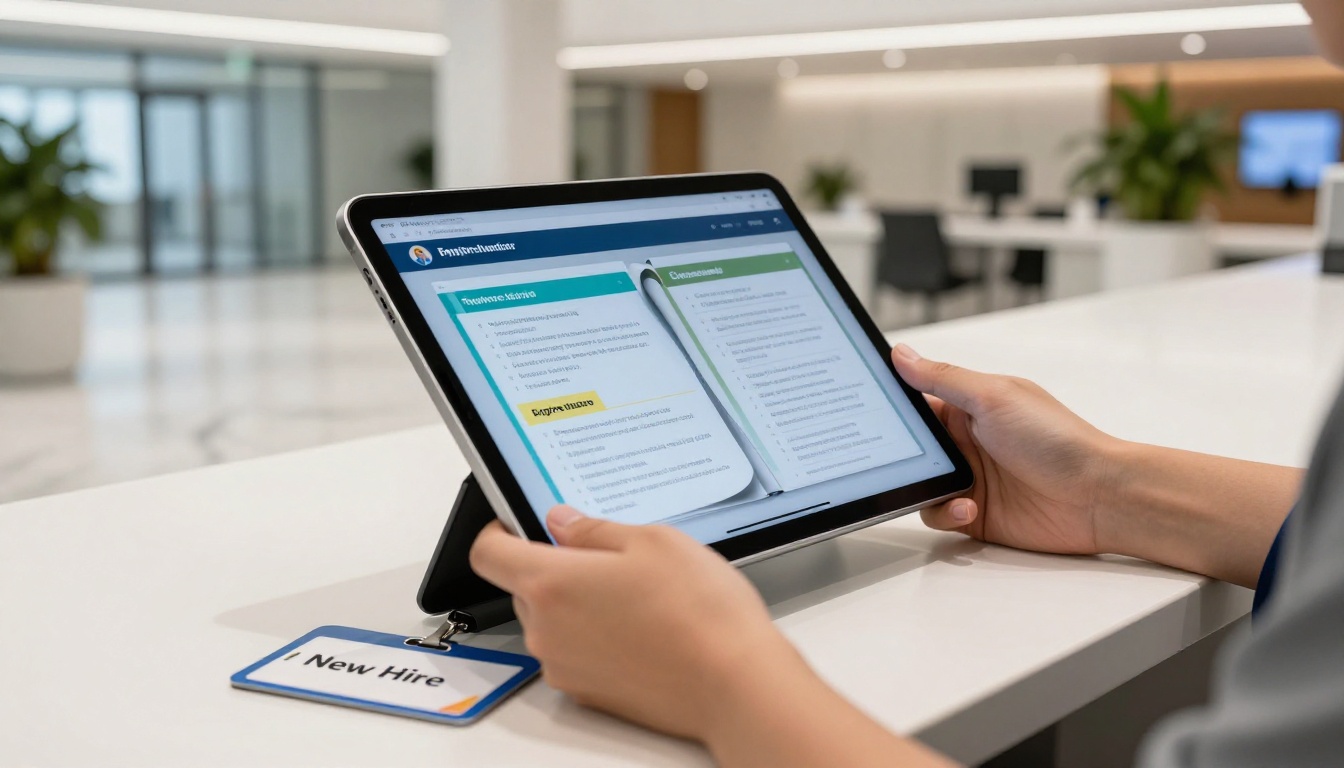
First impressions are formed in seconds. When a new employee opens their onboarding packet and sees a branded, visually rich flipbook with their name on the welcome page, they feel like they joined a company that cares about presentation. When they get a black-and-white PDF from 2018, the message is different.
Visual onboarding materials do not just look better. They communicate professionalism, attention to detail, and a culture of quality. That matters for recruiting, for culture-building, and for the speed at which new hires become confident contributors.
Why HR Teams Are Using Flipbooks for Onboarding
Faster Time-to-Productivity
When onboarding materials are clear, interactive, and easy to navigate, new hires spend less time confused and more time contributing. A well-structured flipbook with a table of contents, quick-jump sections, and embedded tutorials can cut the time a new employee spends searching for information by a measurable margin.
💡 Add an embedded video from your team lead on the first page of the onboarding flipbook. Personal welcome messages increase early engagement and reduce the "Am I in the right place?" anxiety that many new hires feel.
Consistency at Scale
Growing teams face a specific problem: the onboarding experience varies wildly from manager to manager. One team does a thorough three-day walkthrough. Another sends a link to an old Google Doc and hopes for the best. Flipbooks solve this by centralizing the onboarding experience into a single, always-updated source of truth.
Every new hire, regardless of which manager they report to or which city they work in, gets the same quality experience. That consistency is critical for companies scaling quickly or operating across multiple locations.
Remote and Hybrid Team Support
The remote work shift changed onboarding permanently. HR teams can no longer rely on in-person tours, physical handbooks, or face-to-face introductions as the backbone of orientation. Digital flipbooks are built for exactly this context.
A link is all it takes. The new hire opens the flipbook on their laptop, tablet, or phone. They navigate through the same experience as an in-office colleague. They watch the culture video, read the values pages, click through the IT setup checklist, and access their benefits links, all without needing to be in the same building as anyone else.
Real-World Use Cases in HR
New Hire Orientation Packets
The most common use case. Instead of a printed binder, HR creates a branded flipbook that covers company history, mission and values, org charts, benefit overviews, IT policies, and first-week schedules. New hires can access it before day one, reducing first-day overwhelm and allowing them to show up prepared.
Policy and Compliance Handbooks
Compliance is not optional, but nobody says it has to be boring. A flipbook version of the employee handbook can use callouts, icons, and section highlights to draw attention to critical policies. When regulations change, the HR team updates the live flipbook and all existing links immediately reflect the new content.
⚠️ For legally sensitive compliance content, use the password protection feature to ensure only authorized employees access the document. Flipbooks AI supports password-gated flipbooks on all paid plans.
Role-Specific Training Modules
Generic onboarding only goes so far. Sales teams need different training than engineers. Customer support hires have different compliance requirements than finance staff. With flipbooks, HR can create role-specific onboarding tracks quickly, each one branded consistently but tailored in content.
The Training Manual Flipbook tool is purpose-built for exactly this use case, giving HR teams a fast starting point for structured, role-based training documents.
There is no shortage of HR technology on the market. Here is how digital flipbooks stack up against common alternatives:
| Tool Type | Best For | Weakness | Flipbook Advantage |
|---|
| HRIS Platforms | Payroll, compliance tracking | High cost, complex setup | Simpler, visually richer |
| PDF Documents | Simple information sharing | No interactivity, poor mobile | Full interactivity |
| Learning Management Systems | Courses, certifications | Overkill for basic orientation | Faster to create and share |
| Slide Decks | Presentations | Not designed for self-reading | Better reading experience |
| Paper Handbooks | Legacy environments | No updates, high print cost | Zero cost to distribute |
| Digital Flipbooks | Onboarding, handbooks, training | Ideal for document delivery | Interactive and trackable |
✅ Use flipbooks as the primary delivery format for document-based onboarding content, and reserve your LMS for formal course completion tracking. They complement each other well and eliminate the need to force document reading into a course format.
How to Create an Onboarding Flipbook with Flipbooks AI
Creating a professional onboarding flipbook does not require a design background or an IT team. Here is exactly how to do it on Flipbooks AI.
Step 1: Set Up Your Account
Go to flipbooksai.com/account and create a free account. No credit card required to get started. Once you are in, you will see the dashboard with all available tools and conversion options.
Step 2: Prepare Your PDF
Before uploading, make sure your onboarding document is in PDF format. This can be an export from:
- Microsoft Word or Google Docs
- Canva or Adobe InDesign for branded documents
- Any existing HRIS or HR document template
The PDF is your raw content. Flipbooks AI handles the conversion into an interactive flipbook automatically.
Step 3: Upload and Convert
Click Upload PDF in the dashboard. The platform converts your PDF into a fully interactive flipbook within seconds. You will immediately see a live preview with page-turn effects, mobile responsiveness, and embedded link functionality already active.
For training-specific content, the Training Manual Flipbook tool pre-configures the interface for instructional formats. The Course Material Publisher is another strong option for structured learning content.
Step 4: Customize Your Branding
In the editor, apply your company branding:
- Upload your logo to appear on the flipbook interface
- Set your brand color palette for the toolbar and navigation
- Add a custom welcome message or cover page annotation
- Enable page sound effects for a more immersive reading experience
💡 Add your company's primary color as the toolbar accent. New hires subconsciously associate the experience with your brand from the first interaction.
Step 5: Add Multimedia and Links
This is where flipbooks outpace every other document format. Within the editor:
- Embed a video: Paste a YouTube or Vimeo link directly onto any page. A welcome message from the CEO on page one sets the right tone immediately.
- Add clickable hotspots: Link directly to the benefits enrollment portal, IT setup page, or Slack workspace invite.
- Embed audio: Some HR teams include a recorded message from their People Ops lead for a more personal touch.
Step 6: Configure Access and Security
For internal HR documents, access control matters. In the sharing settings:
- Enable password protection to ensure only your new hire cohort can access the document
- Set an expiry date if the onboarding window is time-limited
- Generate a direct link to share via email or Slack
- Copy the embed code to place the flipbook directly into your internal intranet or HR portal
Step 7: Share and Track
Once published, share the link via your onboarding welcome email. Within the Professional plan, you get access to:
- Page-by-page analytics: See which sections new hires spend the most time on
- Completion tracking: Know who has actually read the materials
- Lead capture forms: Useful for gathering acknowledgment signatures or feedback responses
- Offline download: New hires in low-connectivity environments can save the flipbook for offline access

Pricing and Plans Worth Knowing
Flipbooks AI pricing is structured to fit teams of every size:
| Plan | Best For | Key Features |
|---|
| Free | Testing and solo use | Basic flipbook, limited uploads |
| Standard | Small HR teams | Unlimited flipbooks, no watermarks, custom branding |
| Professional | Scaling teams | Analytics, lead gen, offline downloads, password protection |
For most HR teams doing active onboarding, the Standard plan covers core needs. When your team wants data on which onboarding sections new hires actually read, upgrade to Professional for the full analytics suite.
All paid plans include unlimited flipbooks and zero watermarks, which matters for maintaining a professional brand image in every document you share with new hires.
What the Numbers Actually Show
The shift to digital onboarding is not a trend. It is a response to measurable problems with the old approach:
- Companies with structured onboarding see 50% higher new hire retention (Brandon Hall Group)
- New employees with a positive onboarding experience are 69% more likely to stay for 3+ years (SHRM)
- Digital document formats improve reading completion rates by up to 47% versus static PDFs
- Remote workers are 20% more likely to feel disconnected during onboarding when materials are not optimized for digital access
Flipbooks address each of these points directly. They are structured by design, visually engaging by default, accessible on any device, and trackable in real time.
The Employee Experience Is the HR Product
HR teams are being asked to do more with less: hire faster, onboard more efficiently, retain longer, and build culture in distributed environments. The tools that worked in 2010 are not designed for those demands.
Digital flipbooks are not just a document format upgrade. They are a signal to new hires about the kind of company they have joined. When the first piece of communication a new employee receives is polished, interactive, and mobile-friendly, they feel that. When it is a stapled printout in a manila envelope, they feel that too.
The choice of format communicates organizational values before a single word is read.
Build Your First Onboarding Flipbook Today
Your next new hire cohort deserves better than a PDF attachment. The tools are available, the setup takes less than an hour, and the impact on your first-day experience is immediate.
Ready to see it in action? Create a free account on Flipbooks AI and convert your existing onboarding PDF into an interactive flipbook today. No design skills needed.
Looking for something more specialized? Browse the full tools directory for role-specific options including the Training Manual Flipbook and Course Material Publisher.
When you are ready to add analytics, password protection, and lead capture to your onboarding program, compare pricing plans to find the right tier for your team size and needs.