There is a quiet moment that happens in almost every client relationship, and most people never notice it until a deal stalls. You spent hours on a presentation. The colors are right, the data is solid, the narrative flows. Then you paste the link into an email, hit send, and wait. The client opens it. And in the first three seconds, before they read a single word, they have already formed an opinion about you. That opinion is shaped entirely by what they see when the link loads. Flipbooks AI exists precisely because this problem is more common, and more costly, than most professionals realize.

What Clients Actually See When You Send That Link
The Default Browser Experience
When you send a Google Slides or PowerPoint Online link, your client does not see your presentation first. They see a browser tab. They see a URL bar crammed with a long string of characters. They see a toolbar with editing options that were never meant for them. They see a loading indicator if their internet is slow. They see a slide deck interface built for you, not for them.
That's the problem. The experience of receiving your work is still wrapped in the tool you used to build it. It's like handing someone a gift inside the cardboard shipping box from the manufacturer.

It Signals "I Didn't Think About You"
The moment a client sees a browser-based slide viewer, one thought forms, even if they never articulate it out loud: "This is a draft." Or worse: "This is what they send everyone."
Polish signals intent. A curated, controlled experience says you thought about how they would receive this. A raw slide deck link says you thought about how to finish the slides, not how they'd feel reading them.
💡 Clients don't evaluate presentations on content alone. They evaluate them on the entire experience, from the subject line in the email to the last page they scroll through.
First Impressions Are Made in Milliseconds
Research in cognitive psychology consistently shows that visual first impressions form within 50 to 200 milliseconds. That means your client has an emotional response to your presentation before a single slide has loaded. What triggers that response? The format itself.
A cluttered browser interface with generic navigation triggers familiarity, not prestige. People associate that kind of interface with internal documents and rough drafts. Premium clients, the ones who pay premium rates, are sensitive to this. They've seen a lot of pitches. They know the difference between something prepared for them and something prepared for general use.

Format Communicates Value
Think about the industries that charge the most. Luxury hotels don't hand you a laminated card at check-in. Law firms don't email you a .docx with tracked changes. Architecture studios don't text you a JPEG of the building sketch. They deliver everything in a format that matches the value they're charging.
Your presentation is a price signal. How you package and deliver it tells clients, at a gut level, what kind of professional you are. A slide deck link packaged in a raw editing tool tells them one story. A beautifully paginated interactive flipbook with your branding, controlled navigation, and no visible editing interface tells a very different one.
⚠️ Price-sensitive clients may not bring this up directly. But they will use the format of your delivery as a reason to negotiate harder or choose someone else.
Three Specific Reasons Slide Links Fall Short
Branding Disappears in Transit
When you share a Google Slides link, Google's interface takes over the screen. Your logo is tiny, maybe in the corner of a slide. The dominant visual elements are Google's toolbar, Google's fonts, Google's navigation arrows. Your brand identity gets swallowed.
An interactive flipbook keeps your branding front and center. Custom colors, your logo on every spread, a branded URL, a branded loading screen. The client's entire visual experience is shaped by your identity, not a third-party platform's UI.

You Lose All Control Over the Experience
With a slide deck link, your client can:
- Click through slides in any order
- Jump to the last slide immediately
- Edit the presentation if permissions aren't set correctly
- Access it on an interface that looks nothing like what you designed it for
- Share it with people you never intended to see it
- Return to it indefinitely with no expiration
None of that is what you want. You want a controlled, curated experience where the client moves through your work the way you intended, in the order you intended, with no distractions.
It Looks Like a Draft, Not a Delivery
The fonts look different on different computers. Colors render inconsistently across browsers. Slide transitions don't always play correctly. Animations break. And perhaps most importantly: a slide deck viewed in a browser never quite looks like a finished document. It always has that slightly unfinished quality because the interface around it is an editing environment, not a reading environment.
✅ Always deliver client-facing work in a format designed for reading and viewing, not for editing. The format itself is part of the deliverable.
Slide Deck Link vs. Interactive Flipbook
The gap between sending a slide link and delivering an interactive flipbook is significant across every dimension that clients actually care about.
Side-by-Side Feature Comparison
| Feature | Slide Deck Link | Interactive Flipbook |
|---|
| Custom branding | Limited (slide-level only) | Full (interface, URL, loading screen) |
| Client experience | Editing interface | Designed reading experience |
| Password protection | Not available natively | Built-in |
| Analytics | None | Page views, time on page, lead capture |
| Mobile experience | Inconsistent | Fully responsive |
| Expiration control | No | Yes |
| Embedding | Limited | Full embed code |
| Watermarks | Platform watermarks possible | Never any watermarks |
| Offline access | No | Yes (downloadable) |
| Page-flip animation | No | Yes |
That table is not a list of nice-to-haves. It is a list of the specific signals clients pick up on, consciously or not, when they evaluate how seriously you take your work.
Real Situations Where This Costs You Business
Pitches and Proposals
A business proposal is the last thing you want delivered in a low-friction format. The proposal is the moment you're asking someone to part with significant money. Every element of the delivery should reinforce that what you're offering is worth what you're charging.
When an agency sends a six-figure proposal as a Google Slides link, the client opens it in the same interface they use to edit a school project. That cognitive association is hard to shake. When the same proposal arrives as a password-protected, branded digital flipbook that turns like a real document, the context shifts entirely.
Real estate professionals using the Real Estate Brochure Creator already understand this. A property listing delivered as a polished interactive brochure versus a plain slide link is not even a comparison. The flipbook format closes more deals.
Sales Decks for High-Ticket Products
Sales teams presenting high-ticket software, services, or physical products face the same issue. A slide deck link says "here are some ideas." A beautifully designed sales presentation flipbook says "here is what your life looks like when you choose us."
The Sales Presentation Flipbook tool is built exactly for this use case. It transforms your content into something that feels like a premium product catalog, not a shared document.

Agency Reports and Case Studies
Monthly reports. Campaign results. Case studies. These are recurring touchpoints where agencies either reinforce their value or erode it. Sending a Google Slides link for a monthly performance report is a small signal, repeated every month, that your agency runs lean on presentation effort.
Sending a branded, interactive report that the client can navigate, share internally, and return to later tells a completely different story. The Corporate Report Maker and Annual Report Creator make it straightforward to produce this caliber of deliverable consistently.
💡 Clients who receive polished monthly reports from their agency are significantly less likely to shop around for alternatives, even when results are mixed. The format communicates stability and professionalism.
What a Professional Delivery Actually Looks Like
The Format That Signals Effort
Professional delivery is not about complexity. It's about intention. It means your client opens something that was clearly prepared with them in mind. The navigation works intuitively. The pages turn. The branding is consistent. There are no editing toolbars in sight. The entire experience feels like it was built for a reader, not an editor.
This is what Flipbooks AI produces. You bring the content. The platform handles the reading experience.

Password Protection and Client Exclusivity
One of the underrated signals in professional delivery is exclusivity. When a client receives a password-protected link, the implicit message is: "This was made for you specifically. Not everyone gets access."
That's a powerful psychological cue. It elevates the perceived value of the content before the first page loads. Password protection is available on all paid plans, which means you can deliver this exclusive experience without any additional tools or workarounds.
Compare that to a slide deck link, which can be forwarded to anyone with a single click, with no visibility into who actually opened it.
How to Turn Your Presentation Into a Flipbook
If you already have your presentation built, converting it to an interactive flipbook takes less time than formatting a deck from scratch.

Step 1: Export Your Slides as a PDF
From Google Slides, go to File > Download > PDF Document. From PowerPoint, use File > Export > Create PDF. You want a clean, single PDF with all your slides as individual pages.
Make sure your fonts are embedded and your images are high resolution. The flipbook renders exactly what's in the PDF, so quality in means quality out.
Step 2: Upload to Flipbooks AI
Go to Flipbooks AI and create your account if you haven't already. Once inside the dashboard, click Create Flipbook and drag your PDF into the upload area. The platform converts it automatically, typically within seconds for standard presentations.
No technical knowledge required. The conversion handles pagination, image rendering, and page sequencing automatically.
Step 3: Brand It to Your Standards
Inside the editor, you can:
- Set a custom background color or gradient for the viewer
- Add your logo to the interface frame (not just the slides themselves)
- Choose a page-flip animation style
- Set a custom cover thumbnail
- Add a branded title and description visible before the flipbook opens
None of this requires design software. It's done through a straightforward settings panel that any team member can operate.
Step 4: Share the Right Way
When your flipbook is ready, you have multiple sharing options that are simply unavailable with a slide deck link:
- Direct link: A clean, shareable URL without any visible editing interface
- Password protection: Set a unique password for each client
- Embed code: Drop it directly onto your website, proposal page, or client portal
- Lead generation form: Collect contact information before a viewer can access the content (Professional plan)
- Offline download: Let clients save the flipbook to view without an internet connection
For privacy-sensitive deliverables, the password protection and controlled link-sharing options alone justify the switch.
Step 5: Track What Happens After You Send It
One of the most valuable parts of delivering through Flipbooks AI is what happens after the client opens the link. On the Professional plan, you get analytics that show:
- How many times the flipbook was opened
- How long the viewer spent on each page
- Which pages were returned to most often
- Whether the link was shared with others
With a slide deck link, you know only one thing: that you sent it. With an interactive flipbook, you know exactly how it landed.

✅ Review page-level analytics before follow-up calls. Knowing the client spent four minutes on your pricing page and skipped the overview section completely changes how you open that conversation.
Flipbooks AI Plan Comparison
Choosing the right plan depends on how often you deliver presentations and what level of client experience you want to provide.
| Feature | Free | Standard | Professional |
|---|
| Flipbooks | 1 | Unlimited | Unlimited |
| Watermarks | None | None | None |
| Password protection | No | Yes | Yes |
| Custom branding | Limited | Full | Full |
| Analytics | No | Basic | Advanced |
| Lead generation | No | No | Yes |
| Offline downloads | No | Yes | Yes |
| Embed on website | No | Yes | Yes |
| Priority support | No | No | Yes |
For freelancers and small agencies sending a handful of proposals per month, the Standard plan provides everything needed to stop sending slide deck links for good. For teams that send dozens of client deliverables, the Professional plan's analytics and lead generation features pay for themselves quickly.
See all options on the pricing page.
Every Type of Client Document, Covered
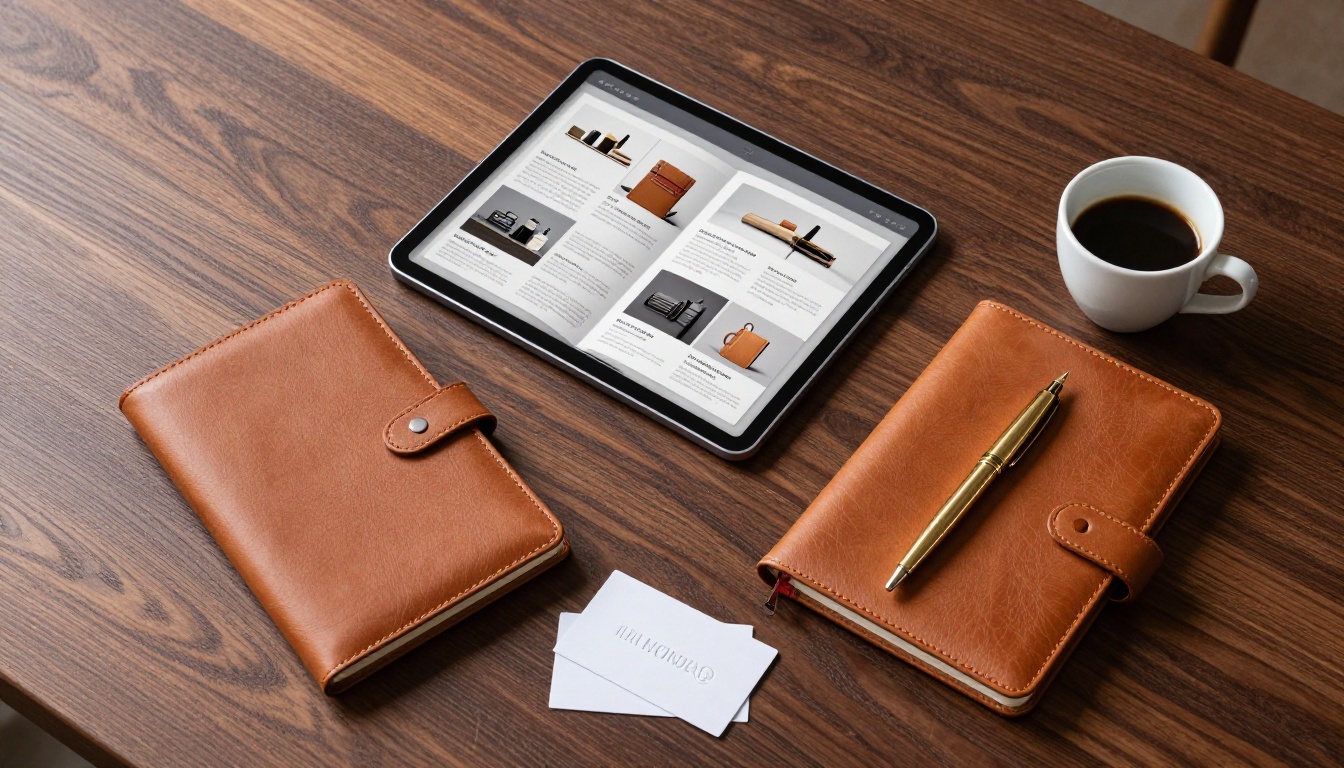
Beyond presentations, Flipbooks AI covers a wide range of client-facing document types, each available as a dedicated tool:
For agencies and consultants:
For sales teams:
For hospitality and real estate:
For publishers and educators:
Browse the full tools directory for every available template and use case.
Stop Sending Links That Undercut Your Work
Your presentation is your argument. The format it arrives in is the first sentence of that argument. A raw slide deck link opens with: "I finished the work and hit share." An interactive flipbook opens with: "I considered your experience from the first click."
That distinction is felt immediately, even by clients who couldn't articulate why. It shows up in how they read your work, how seriously they take your recommendations, and ultimately, how likely they are to say yes.
The good news is that you don't need to rebuild your presentations from scratch. You just need to change how you deliver them. Get started for free on Flipbooks AI and convert your next proposal before you send it. The difference in response will be noticeable within the first reply.
Ready to see all available options? Compare pricing plans or browse the full toolkit to find exactly what your next client deliverable needs.



