Wedding photography is a high-stakes craft. Couples invest thousands of dollars, months of planning, and every ounce of emotional energy into a single day. When it's over, what they want most is a way to relive it, share it, and hold onto it forever. Most photographers still deliver photos through clunky download links, generic gallery platforms, or a USB drive in a padded envelope. That approach leaves money on the table and clients feeling underwhelmed.
Flipbooks AI gives photographers something genuinely different: an interactive, page-turning digital experience that makes wedding photos feel like the luxury product they actually are. If you're still on the fence about digital flipbooks, this article will change that.

What Couples Actually Want After the Wedding
The wedding is over. The flowers are wilting, the dress is bagged, and the groom is back in jeans. What couples want in the weeks that follow is something they can actually show people. Not a download link their mother-in-law can't open. Not a gallery that requires account sign-up just to view.
They want something beautiful, shareable, and immediate.
Here's what photographers almost never ask their clients post-wedding:
- How many people did you actually share your photos with?
- Did your parents and grandparents easily view the gallery?
- Did the link work on mobile?
- Did you feel proud showing it to coworkers?
The honest answers reveal a widespread problem with how photos are delivered. A digital flipbook solves each of these pain points directly.
💡 Pro tip: Couples who can share their wedding photos easily become your most powerful marketing channel. Every share is a free ad for your business.
Sharing Should Be Effortless
A flipbook works in any browser, on any device, with zero downloads, zero logins, and zero confusion. Grandma on her iPad, the maid of honor on her Android, the groom's college friends sharing it in a group chat — it just works for everyone. That kind of frictionless experience reflects directly on you as the photographer.
The Emotional Impact of Page-Turning
There is something deeply satisfying about turning a page. It triggers a nostalgic, tactile response, even in digital form. A flipbook turns your photography into a narrative, a story told page by page. Couples spend more time with the content, feel more connected to the images, and associate that positive experience with your brand.
The Portfolio Problem Photographers Face
Most photographers have a website. Many have an Instagram. But very few have a portfolio that actually converts browsers into booked clients. The problem isn't the quality of the work — it's the format.
A grid of thumbnails does not tell a story. A slideshow feels like a screensaver. Neither one captures the full scope of what you deliver on a wedding day. A digital wedding portfolio built as a flipbook does something no static gallery can: it places the viewer inside the experience, turning pages through ceremony, portraits, and reception as if they were there.
Static Galleries vs. Flipbook Portfolios
| Feature | Standard Gallery | Digital Flipbook |
|---|
| Page-turning animation | No | Yes |
| Mobile responsive | Sometimes | Always |
| Sharable link | Yes | Yes |
| Embeddable on website | Rarely | Yes |
| Story-driven layout | No | Yes |
| Password protection | Rarely | Yes |
| Analytics on views | No | Yes (Pro) |
| Custom branding | No | Yes |
| Feels premium | No | Yes |
The numbers tell the same story. Photographers who present their portfolio as a flipbook report higher perceived value, more inquiries per visitor, and stronger emotional reactions during consultations.
How Flipbooks Change Client Delivery
Delivering photos used to mean picking a gallery platform, uploading hundreds of files, and hoping the client figures out how to download them. With a flipbook, delivery becomes an event. You send one link. The client opens it. Pages turn. Music could play. The emotional reaction is immediate.
✅ Best practice: Send your flipbook delivery link with a short personal note. Frame it as an unveiling. The anticipation you build directly influences the client's emotional response when they open it.
What Goes Into a Wedding Flipbook
A well-structured wedding flipbook follows the emotional arc of the day:
- The morning — intimate getting-ready moments, details, anticipation
- The ceremony — vows, rings, first kiss, emotional reactions
- Portraits — couple and family formals, creative couple session
- Reception — speeches, first dance, candids, grand exit
- Detail shots — flowers, rings, stationery, venue styling
This natural progression transforms a photo delivery into a cinematic experience. Couples don't just see photos. They relive the day.
Delivery Format Comparison
| Delivery Method | Setup Time | Client Experience | Sharability | Perceived Value |
|---|
| USB Drive | Low | Moderate | Low | Low |
| Download Link | Very Low | Poor | Low | Low |
| Standard Gallery | Medium | Average | Medium | Medium |
| Flipbook | Low | Excellent | Very High | Very High |
| Printed Album | Very High | Excellent | Very Low | Very High |
A flipbook matches a printed album in perceived value and client experience, at a fraction of the cost and time.
Real Business Benefits for Photographers
Beyond the client experience, flipbooks solve practical business problems. They make you easier to book, easier to refer, and easier to remember.
You Become More Referable
Referrals are the lifeblood of a wedding photography business. When a couple shares their flipbook with friends who are planning a wedding, those friends see the photos and the delivery experience. They associate the quality of the flipbook with the quality of the photographer. A download link shared in a group chat doesn't do that.
Your Pricing Power Goes Up
There is a direct relationship between presentation quality and willingness to pay. When prospects see a flipbook during a consultation, they perceive your work as premium. You're not just selling photos — you're selling an experience. That perception shift supports higher pricing across all your packages.
💡 Pro tip: Include flipbook delivery in your standard package. Then upsell a "deluxe flipbook" with custom branding and music for premium clients.
You Win More Consultations
Most photographers show portfolio galleries during sales consultations. Imagine instead pulling up a beautifully branded digital flipbook of a previous wedding and letting the prospect flip through it on a tablet. The difference in reaction is immediate and measurable.

How to Create a Wedding Flipbook
The process is straightforward, and you don't need any design skills to produce a professional result.
Step 1: Prepare your PDF
Curate your best 60 to 120 wedding photos. Arrange them in chronological order following the day's narrative. Export as a high-resolution PDF with double-page spreads or single pages depending on your preferred layout. Design tools like Canva, Lightroom, or Adobe InDesign all export PDF reliably.
Step 2: Create your account
Head to Flipbooks AI and create your account. The platform is browser-based, so there's nothing to install. You can start with the free tier to test the workflow before committing to a paid plan.
Step 3: Upload your PDF
Click the upload button, select your wedding PDF, and let the platform process it. Within seconds, your photos are converted into a fully interactive, page-turning digital flipbook. No waiting, no complex configuration.
Step 4: Customize the branding
This is where your flipbook becomes yours. Add your photography logo, choose a background color that matches your brand palette, and set the page animation style. You can also add music tracks to play automatically when the flipbook opens, which dramatically increases the emotional impact for your clients.
Step 5: Set privacy and sharing options
For client deliveries, use password protection so only the couple can access their flipbook privately. For portfolio use, keep it public and copy the shareable link or grab the embed code to place it directly on your website.
Step 6: Share and embed
Send the link directly to your clients. Embed the flipbook on your website using the provided embed code — the Photography Portfolio tool makes this straightforward. You can also use the Digital Portfolio Creator or the dedicated Wedding Album Flipbook tool for a fully polished presentation.

✅ Best practice: Create two versions of every wedding flipbook. A private, password-protected version for the couple with all photos. A curated public version with your best 30 to 40 images for portfolio use. Always get the couple's permission before using any images publicly.
Flipbooks AI Plan Comparison for Photographers
Not all photographers have the same needs. Here's how the plans stack up for wedding photographers specifically:
| Feature | Free | Standard | Professional |
|---|
| Number of flipbooks | Limited | Unlimited | Unlimited |
| Watermarks | Yes | No | No |
| Custom branding | No | Yes | Yes |
| Password protection | No | Yes | Yes |
| Analytics | No | No | Yes |
| Lead generation forms | No | No | Yes |
| Offline downloads | No | No | Yes |
| Embed on website | No | Yes | Yes |
For photographers delivering to clients, the Standard plan is the minimum practical entry point: no watermarks, custom branding, password protection, and website embedding. The Professional plan adds analytics, so you know exactly when clients open and share their flipbook, plus lead generation forms that are valuable for portfolio flipbooks designed to attract new bookings.
Embedding a Flipbook on Your Photography Website
Having a flipbook is one thing. Having it live on your website is another level entirely. A static website with a portfolio grid is easy to scroll past. A flipbook embedded on your homepage stops visitors cold.
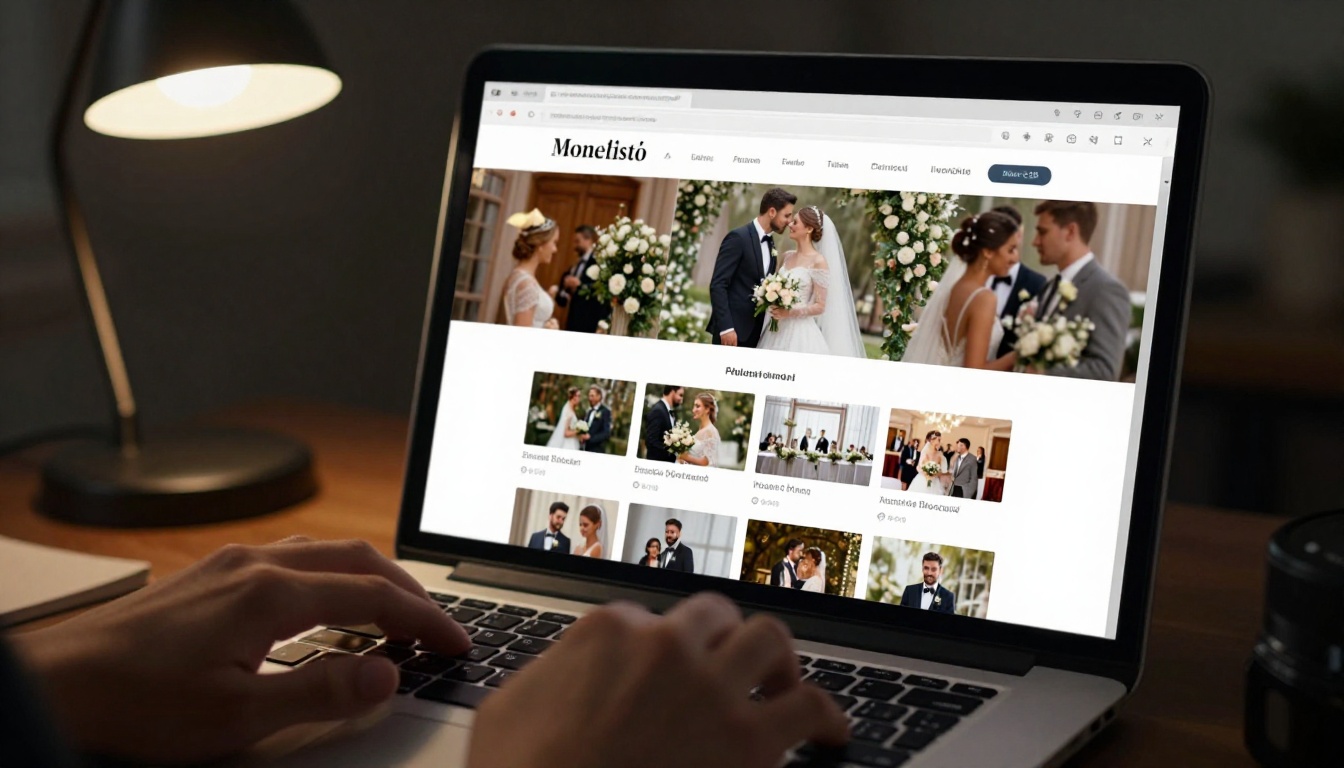
The Embed Flipbook on Website tool generates a simple iframe code that you paste into any website builder — Squarespace, Wix, WordPress, Showit, or custom HTML. No coding required. The flipbook loads fully responsive for desktop, tablet, and mobile visitors.
⚠️ Watch out: Don't embed your full client delivery flipbook publicly. Always create a separate, curated portfolio flipbook for website use. Clients expect discretion, and maintaining that trust is what keeps referrals flowing.
What to Include in a Wedding Flipbook
Not every photo makes the cut. A well-edited flipbook is focused, emotional, and paced deliberately. Here's a working framework for selection:
Photo Selection Principles
- 60 to 100 photos for a client delivery flipbook (all selects)
- 25 to 40 photos for a portfolio flipbook (best of the best)
- Lead with impact: Open on a stunning image — ceremony, first look, or a dramatic portrait
- End with emotion: Close on an image with feeling — the couple leaving, a quiet candid, confetti
- Spread variety: Alternate between wide establishing shots and intimate close-ups
- Include details: Rings, florals, stationery, and table settings give visual breathing room between portraits
Getting More Referrals Through Shareable Albums
The most underrated benefit of a digital flipbook is its shareability. A couple who loves their photos will share them. The question is whether sharing is easy enough that they actually do it.
A flipbook link opens instantly on any device. It can be pasted into a WhatsApp message, posted on Instagram Stories with a link sticker, shared in a Facebook post, or forwarded in an email. No downloading, no compression, no quality loss.
Building a Referral System Around Flipbooks
Here's how photographers are using flipbooks to systematically grow their referral network:
- Deliver the client flipbook within 4 weeks of the wedding
- Include a personal note encouraging them to share the link with family
- Add your contact information and website URL within the flipbook pages
- Follow up 30 days later asking if they have friends planning a wedding
- Ask satisfied clients to leave a review alongside a link to their public portfolio flipbook
This workflow turns every delivery into a referral opportunity. The flipbook does the marketing work passively, every time a client shares it.
Analytics Tell You What's Working
With a Professional plan, you get access to view analytics: who opened the flipbook, how many pages they viewed, how long they spent, and whether they shared it. This data is invaluable for understanding which portfolio flipbooks attract the most attention and which wedding galleries clients actually spend time with.

Not every photography genre benefits from flipbooks equally. Wedding photography is uniquely suited to the format for several reasons:
- Narrative structure: Weddings have a natural beginning, middle, and end that maps perfectly to sequential pages
- Emotional stakes: No other photography genre carries as much emotional weight, and page-turning amplifies that
- Multiple stakeholders: Couples, parents, grandparents, and wedding party all want to see the photos — a single shareable link serves all of them simultaneously
- High investment: Clients who paid $3,000 to $8,000 for photography expect premium delivery to match
- Referral-driven industry: Wedding photography clients are surrounded by friends and family who will eventually need a photographer
💡 Pro tip: Create a branded "welcome flipbook" you send before the wedding with your pricing menu, what to expect on the day, timeline tips, and a sample wedding spread. Clients who receive this feel cared for before the day even arrives, and it sets the tone for the entire experience.
Start Delivering Photos Like a Premium Brand
The wedding photography market is competitive. Couples have more options than ever, from budget photographers to full-service studios. What separates photographers who command premium prices is not always the quality of the images alone — it's the quality of the entire experience, from first consultation to final delivery.
A digital flipbook is the final piece of that experience. It turns a transaction — here are your photos — into a moment: here is your story. That distinction is what clients remember, what they share, and what they tell their friends about when someone asks who shot their wedding.
Ready to change how you deliver wedding photos? Get started for free on Flipbooks AI today. Browse the Photography Portfolio and Wedding Album Flipbook tools to find the perfect format for your work. When you're ready to scale, compare pricing plans to choose what fits your business.
Your photos deserve a presentation that matches their quality. Give them one.



