If you're an author with a website, chances are it's doing the minimum: a bio, a list of books, maybe a contact form. That's the baseline, and it's not enough anymore. Readers who land on your site want more than a static front image and a blurb. They want to feel your writing before they commit to buying it. That's exactly what a flipbook delivers, and it's why authors who add one to their sites consistently see higher time-on-page, lower bounce rates, and more immersed readers. Flipbooks AI makes adding one to your site simpler than you'd expect.
What a Flipbook Actually Does for Authors
A flipbook on your author website isn't a novelty. It's a functional reading tool that lets visitors turn pages, read sample chapters, and get a genuine sense of your writing voice, all without leaving your site.
Think of it as the digital version of picking up a book at a store and reading the first few pages. That experience drives a huge percentage of in-store purchases, and yet most author websites strip it out entirely. A flipbook puts it back.

It's Not Just a PDF Link
A raw PDF link is the laziest form of a book preview. It opens in a new tab, has no visual appeal, and breaks the browsing flow entirely. A flipbook is embedded directly in your page. Readers interact with it using natural page-turning gestures. It feels like a book because it behaves like one.
It Signals Professionalism
Authors who invest in their website's experience signal something to readers: they take their craft seriously. A beautifully presented flipbook next to your book's front image communicates more about your commitment to quality than any author bio paragraph ever could.
The Real Problem with Static Author Websites
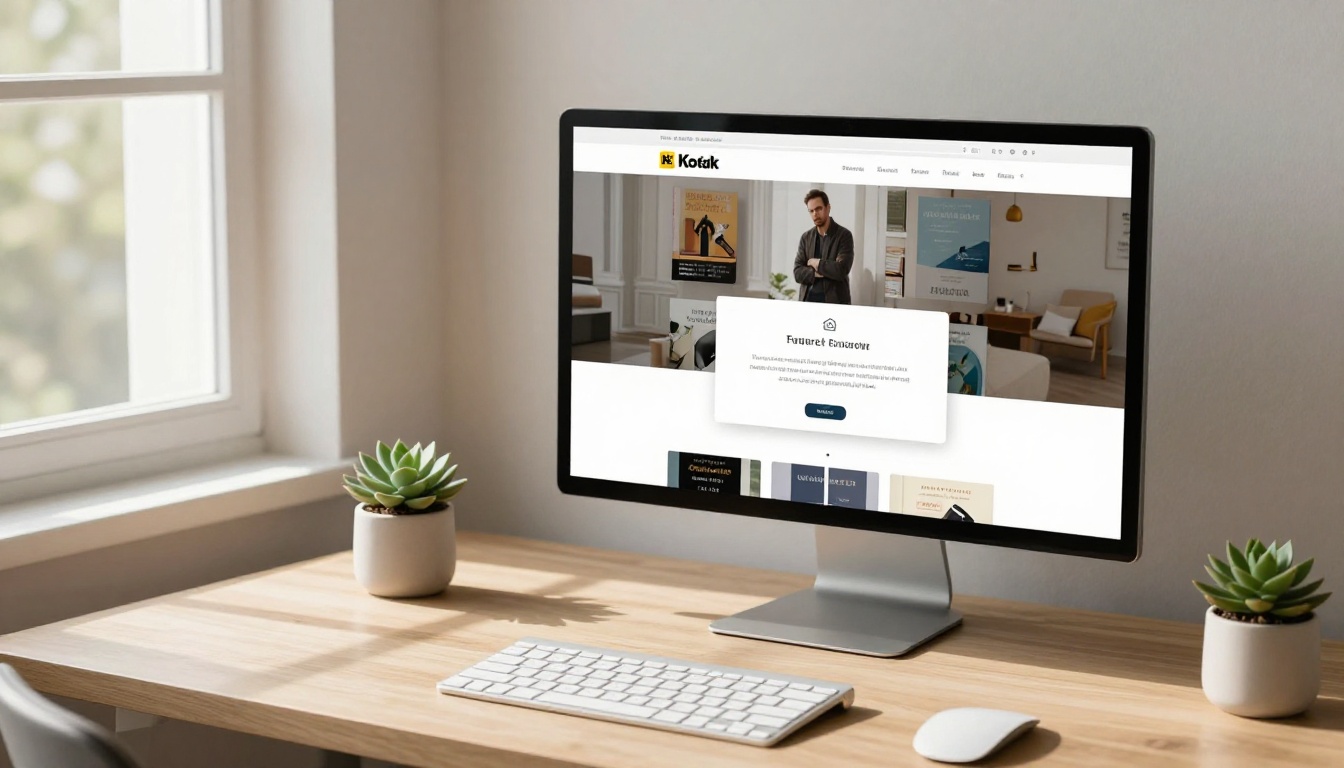
Most author websites look the same. A hero image. A short bio. Book jackets lined up in a grid. Links to Amazon or a bookstore. It's a catalog, not an experience.
The fundamental problem is trust. A reader who doesn't know you lands on your site and faces a decision: spend money on a book by someone they've never read, or leave. Without a way to sample your writing, most choose to leave.
💡 Pro tip: Research consistently shows that readers who sample even one chapter before buying are significantly more likely to finish the purchase and leave a positive review.
Static websites also suffer from low dwell time. If there's nothing interactive to engage with, visitors bounce within seconds. A flipbook gives readers something to do, which keeps them on your page longer, and longer visits tell search engines your content is worth ranking.
The "Sample Chapter" Problem
Most authors try to solve this with a PDF download or a blog post excerpt. Both are poor substitutes. A download means leaving your site. A blog excerpt has no visual connection to the actual book. A flipbook preserves the book's typography, layout, and jacket design, so the sample feels like reading the real thing.
What Static Sites Are Losing
| Feature | Static Author Website | Author Website with Flipbook |
|---|
| In-site reading preview | No | Yes |
| Page-turning interaction | No | Yes |
| Visual connection to book design | No | Yes |
| Reader dwell time | Low | High |
| Conversion to purchase | Low | Higher |
| Mobile-friendly preview | No | Yes |
How Readers Experience Your Books Differently
When a reader interacts with a flipbook, something shifts. The physical metaphor of turning pages activates a different kind of attention than scrolling through a blog post or reading a PDF.

Flipbooks are also mobile-responsive, which matters enormously. The majority of web traffic now comes from smartphones, and a flipbook on Flipbooks AI adjusts perfectly to any screen size. Your readers on the subway, during lunch breaks, or browsing in bed all get the same rich experience.
The Emotional Connection Factor
There's something about turning a page, even digitally, that creates a sense of momentum. Readers feel like they're actually in the book. That emotional investment is what makes them scroll back up to the buy button.
Accessibility and Reach
A flipbook embedded on your website is always on. No app to download. No account to create. A reader in any country, on any device, can open your flipbook instantly and start reading. That's a reach that a PDF or a bookstore sample simply can't match.
What to Show Inside Your Author Flipbook
Not every author knows what to include in their flipbook sample. Here are the sections that consistently perform well:

For Fiction Authors:
- Front matter (title page, dedication, epigraph)
- First chapter (always, without exception)
- A mid-story chapter that contains a strong hook or dramatic moment
For Non-Fiction Authors:
- Table of contents
- Introduction in full
- One full chapter that represents the book's core argument
For Poetry Collections:
- Opening poem
- 5-7 representative poems from different sections of the collection
For Children's Book Authors:
- Full illustrated spreads if the book is short
- First half of the book for longer works
✅ Best practice: Always include at least 15-20% of your book's content in the flipbook. Anything less feels like a tease and frustrates rather than converts.
What NOT to Include
- Anything with spoilers that would kill the purchase motivation
- Low-resolution scans (quality matters, always use the original PDF)
- Blank filler pages at the beginning or end
How to Create Your Author Flipbook with Flipbooks AI
Creating your flipbook doesn't require design skills or technical knowledge. Flipbooks AI converts your PDF directly into a fully interactive flipbook in minutes.

Here's how to do it:
Step 1: Create your account
Head to Flipbooks AI and sign up for free. No credit card is required to start.
Step 2: Prepare your PDF
Export your book chapter or full manuscript as a high-resolution PDF from your word processor or design software. For children's books with illustrations, make sure images are at least 300 DPI for crisp display.
Step 3: Upload and convert
Use the Interactive E-Book Publisher or the E-Book Flipbook Generator tool. Drag and drop your PDF and watch it convert in seconds. Flipbooks AI preserves your original typography, margins, and layout precisely.
Step 4: Apply your author branding
Customize the flipbook's color scheme to match your website's palette. Add your name or author logo to the reader interface. This turns the flipbook from a generic viewer into an extension of your personal brand.
💡 Pro tip: Place your flipbook above the fold on each individual book page, not buried below the reviews section. The sooner readers start interacting, the longer they stay.
Step 5: Embed on your website
Copy the embed code from your Flipbooks AI dashboard and paste it directly into your author website's HTML or CMS. It works with WordPress, Squarespace, Wix, Webflow, and custom-built sites. You can also share a direct link for social media and newsletters.
Step 6: Enable password protection (optional)
If you want to share an advance reader copy with beta readers or your ARC team privately, enable password protection. Only people with the password can access the flipbook, while your public version remains open. This feature is available on Standard and Professional plans.
Step 7: Track reader behavior
With the Professional plan at Flipbooks AI, you get access to analytics showing how many readers opened your flipbook, how many pages they read, and where they dropped off. This data is invaluable for refining which chapter you use as your sample.
Flipbooks vs. Other Book Preview Options
Let's be direct about how flipbooks compare to the alternatives most authors currently use:

| Preview Method | In-Site Experience | Visual Fidelity | Mobile Friendly | Analytics | Cost |
|---|
| PDF Download | No (leaves site) | Medium | Poor | None | Free |
| Blog Post Excerpt | Yes | None | Yes | Basic | Free |
| Amazon "Look Inside" | No (leaves site) | High | Yes | None | Free |
| Embedded Flipbook | Yes | High | Yes | Yes (Pro) | Low |
| Scribd Embed | Yes | Medium | Yes | Limited | Paid |
The flipbook wins on the metrics that matter most to authors: it keeps readers on your site, it looks exactly like your book, and it works on any device.
Platform Comparison
| Feature | Flipbooks AI | Generic PDF Viewers | Other Flipbook Platforms |
|---|
| No watermarks | Yes | Often has watermarks | Varies |
| Custom branding | Yes | No | Limited |
| Embed on any website | Yes | Limited | Varies |
| Password protection | Yes | No | Rarely |
| Analytics | Yes (Pro) | No | Limited |
| Offline downloads | Yes | No | Rarely |
| Mobile responsive | Yes | Partial | Varies |
Using Your Flipbook Beyond the Website
Your author flipbook doesn't have to live only on your website. Once you've created it on Flipbooks AI, you have a shareable link that works anywhere.
Email Newsletters
Paste your flipbook link directly into your newsletter. Instead of describing your book, let readers open it right from their inbox. A link that says "Read the first chapter now" is consistently one of the highest-clicked elements in author newsletters.
Social Media
Share your flipbook link on Instagram bio, Twitter/X, Facebook Author Page, and LinkedIn. A single link gives followers instant access to your sample without them needing to visit a store or download anything.
Book Club Outreach
When pitching your book to book clubs, include your flipbook link. It's a professional, effortless way for book club organizers to sample the writing and share it with members before they commit to a selection.
Media and Press Kits
Include your flipbook link in your press kit. Journalists, bloggers, and podcast hosts who receive your press materials can read an actual sample immediately, which dramatically increases the chances they'll feature you.
ARC Distribution
Instead of emailing large PDF attachments to advance readers, share a password-protected flipbook link. It's cleaner, more professional, and lets you track who actually engaged with it.
Making the Most of Your Author Flipbook
Once your flipbook is live, a few strategic choices will determine how much work it does for you.

Choose the Right Sample Length
Your flipbook sample should end at a moment of tension or curiosity. The reader should close it wanting more, not feeling satisfied. For fiction, end mid-chapter if you have to. For non-fiction, end just before you deliver the big payoff of the introduction.
Update It Strategically
If you release a new edition or simply want to feature a different chapter, you can update your flipbook on Flipbooks AI without changing the embed code. Your website automatically reflects the new version with no extra work.
Pair It with a Lead Magnet
The Professional plan includes lead generation features. You can set your flipbook to display an email capture form after a certain number of pages, turning your sample into a list-building tool. A reader who finishes chapter one and wants chapter two is the perfect person to join your newsletter.
⚠️ Warning: Don't include a lead capture on the first page. Let readers get hooked on the content first. Interrupting too early creates friction and drives them away.
SEO Benefits of Embedded Flipbooks
Search engines notice when visitors spend more time on your pages. An embedded flipbook dramatically increases average session duration, which is a positive signal for your site's search rankings. Authors who've added flipbooks to their book pages often report measurable improvement in organic search traffic within a few months.
✅ Best practice: Add a descriptive title and alt text around your embedded flipbook. Write a short paragraph below it with relevant keywords so search engines understand what readers are experiencing.
Series Authors: One Flipbook Per Book
If you write a series, create a separate flipbook for each book. Place the first book's flipbook prominently, and include a smaller embedded preview of book two at the bottom of your book one page. Readers who finish one sample and love it will immediately click into the next, staying in your ecosystem rather than leaving for a retailer.
Your author website has one job: convert curious visitors into committed readers. A static page of jacket images and blurbs isn't enough to do that job. An interactive flipbook that lets readers actually experience your writing is what closes that gap.
Ready to add one to your site? Get started for free on Flipbooks AI and have your first author flipbook live in under 15 minutes. Browse all flipbook tools to find the right format for your genre, and check pricing plans to see which features fit your author business.



