You finish a brochure, a proposal or a catalog, hit "send," and the email bounces because the file is 28 MB. Or it arrives, and the client opens it on a phone where the PDF loads slowly, zooms awkwardly and never gets read past page two. A PDF to link converter solves both problems: you upload the file once, and you get a short URL that opens a fast, readable, page-flip version in any browser. With Flipbooks AI, that takes about a minute and the result carries no watermark.
This article walks through how a free PDF to link generator works, what the page-flip view really changes for readers, which limits you will meet on free plans, and how to publish your own shareable URL step by step.
What a PDF Link Actually Does
The Problem With Attachments
Attachments are fragile. Mail servers cap file sizes, spam filters get suspicious of PDFs, and once a file is sent you lose control of it. If you spot a typo an hour later, the old version is already sitting in twenty inboxes.
A link works differently. The document lives in one place, and everyone opens the same current version. Fix the file, and the URL keeps working.
What You Get Instead
When you convert a PDF to a link, the generator reads each page, renders it as a web-friendly image or layer, and hosts the result at a public address. Readers click, wait a second or two, and start reading. No download, no plugin, no app.
💡 Pro tip: A link is easier to paste into places attachments cannot go: WhatsApp status messages, Instagram bios, QR codes, LinkedIn posts, text messages and printed flyers.
Here is the short version of the difference:
| Feature | Email attachment | Shareable PDF link |
|---|
| File size limit | Usually 20 to 25 MB | Depends on the host, often higher |
| Opens on mobile | Slow, needs a PDF viewer | Loads in the browser |
| Update after sending | Impossible | Replace the file, same URL |
| Track who opened it | No | Possible with analytics |
| Looks professional | Plain file icon | Branded reading page |
| Works in social bios | No | Yes |
How a Free PDF to Link Generator Works
Upload, Convert, Share
Every online generator follows the same three beats:
- Upload your PDF from your computer or cloud storage.
- Convert it: the tool processes each page and builds a viewer.
- Share the generated URL, an embed code or a QR code.
The quality differences appear in the details: how sharp the text stays when zoomed, how quickly page one appears, and whether the tool slaps a logo across your layout.
Why Page-Flip View Matters
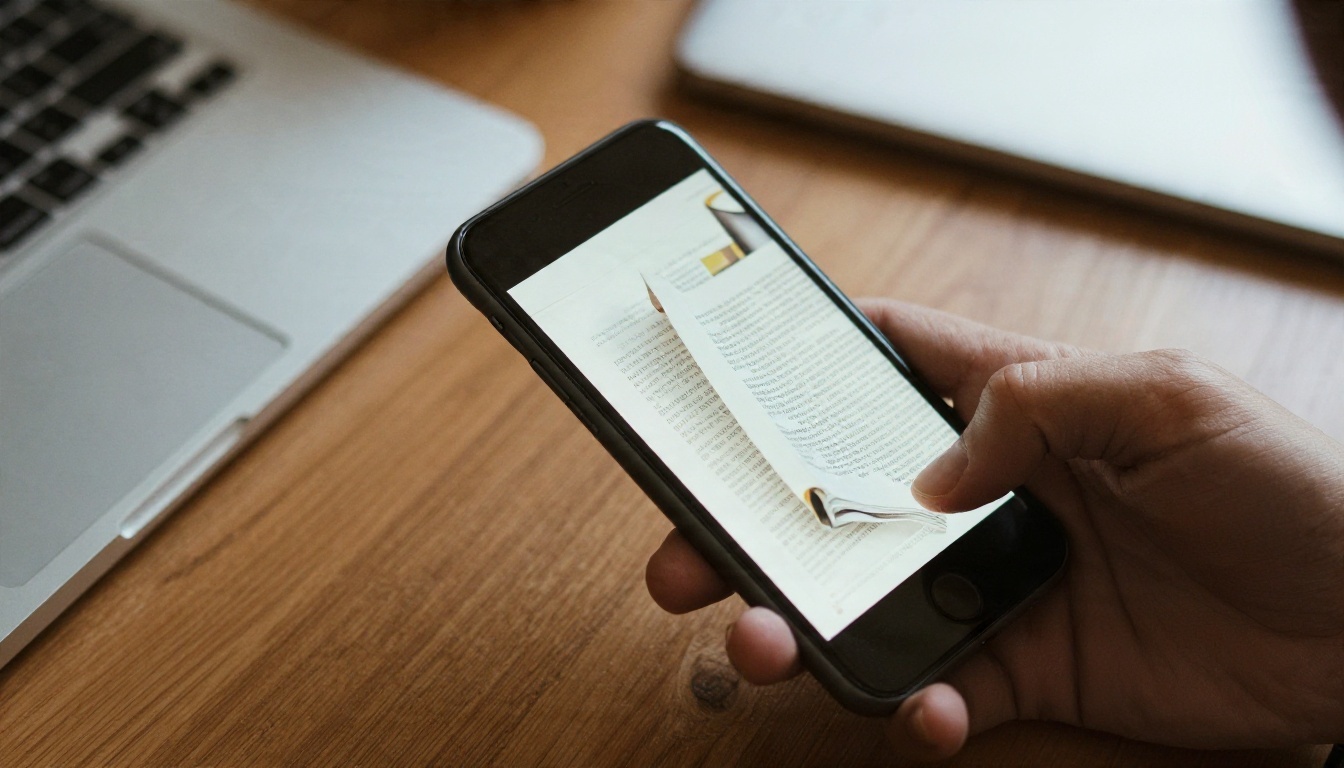
A plain PDF viewer shows a long vertical scroll. Page-flip view mimics a printed publication: pages sit side by side as a spread on desktop, and a corner curls when the reader clicks or swipes. It sounds cosmetic, but it changes behavior in practical ways.
- Readers move through content one page at a time, which feels less overwhelming than a 60-page scroll.
- Spreads display layouts as the designer intended, with facing pages working together.
- The format feels familiar to anyone who has held a magazine, which helps catalogs, lookbooks and menus.
- On a phone, the viewer switches to single-page mode and keeps text readable.
Quality Checks Before You Choose
Run a quick test with any generator before committing a client-facing file:
- Open the link on a phone and a laptop.
- Zoom into small print and check it stays crisp.
- Click internal links, such as a table of contents entry.
- Check whether a watermark or advertising banner appears.
- Time how long the first page takes to load on mobile data.
How to Create a PDF Link With Flipbooks AI
If you want the shortest path from file to URL, this is it. The PDF to Flipbook Converter is built for exactly this job.
Step 1: Create Your Account
Head to Flipbooks AI and create an account. You can start on the free plan and compare options later on the pricing page.
Step 2: Upload the PDF
Click the upload button and drop in your file. The conversion runs automatically and keeps your fonts, images and internal links. You will see a preview of the page-flip result within moments.
Step 3: Customize the Look
Before publishing, spend two minutes on presentation:
- Branding: add your logo and name so the reading page feels like your own.
- Colors: set the background to match your site or brand palette.
- Page effects: adjust the flip animation and sound if you want a more tactile feel.
- Multimedia: embed videos and audio so the document does more than a static PDF can.
Step 4: Pick How You Share
You have three main options:
- Direct link: copy the short URL and paste it anywhere.
- Embed code: place the flipbook inside a page using the Embed Flipbook on Website tool.
- Password protection: lock private documents so only people with the password can read them.
✅ Best practice: Use password protection for contracts, pricing sheets and internal training material. Send the password in a separate message from the link.
Step 5: Add Analytics and Lead Capture
On the Professional plan you can see how many people opened the document, which pages they reached, and collect contact details before they read. You can also allow offline downloads for readers who need the file on a flight or in a basement meeting room. Check the plan comparison to see which features sit where.

Free Limits You Will Hit
Free generators are generous up to a point. Almost all of them trade something for the price of zero, and the trade is rarely spelled out on the homepage. Here is what to check.
File Size and Page Count
Many free tools cap uploads at a modest size or a set number of pages. A 12-page brochure rarely trips these limits. A 300-page annual report with high-resolution photos often does. If a conversion fails, compress images in your PDF first and try again.
Watermarks and Branding
This is the limit that hurts most. Some tools stamp their logo on every page or add a banner above the viewer. That is fine for a quick personal share, and a problem for a client proposal. Flipbooks AI never adds watermarks, which keeps your document looking like yours.
Link Expiry and Number of Documents
Some free plans delete links after a few days or limit you to one or two active documents. If a link is printed on a flyer or in a QR code, an expired page is a real cost. Look for plans where links stay live and where the number of flipbooks is not tightly capped. On Flipbooks AI, the Standard plan and above offer unlimited flipbooks.
Privacy and Analytics
Free tiers commonly skip password protection and view tracking. If the document is sensitive, or if you need to know whether a prospect opened your proposal, you will want a paid tier.
| Limit | Typical free tool | Paid plan | What to check |
|---|
| Watermark | Often present | Removed | Look at a sample page |
| Active documents | A few | Unlimited on higher plans | Count what you need |
| Link lifespan | May expire | Stays live | Read the terms |
| Password protection | Rare | Available | Needed for private files |
| Analytics | None | Professional plan | Needed for sales follow-up |
| Offline download | Rare | Available | Useful for field teams |
| Custom branding | Limited | Full | Matters for client work |
⚠️ Warning: Never upload confidential contracts to a free tool without reading its privacy policy. If you cannot find one, treat the link as public.
Real Examples That Work
A Café Sharing Its Menu
A neighborhood café designs its menu in a layout app and exports a PDF. Instead of printing every time prices change, the owner converts it to a link, turns the link into a QR code for the tables, and updates the file when the seasonal menu arrives. The code on the table never changes. For this, the Restaurant Menu Creator is a natural fit.
A Realtor Sending Property Brochures
Real estate agents send brochures to clients who browse on their phones between showings. A link opens a polished page-flip brochure in seconds, and the agent can see whether the buyer actually opened it before calling back. Try the Real Estate Brochure Creator for listing packs.

A Freelancer Pitching a Portfolio
A designer attaches nothing. She sends a single link to a branded portfolio, with a password for the more confidential case studies. Clients flip through it at their own pace, and she keeps one source file to maintain. The Digital Portfolio Creator is built around this exact habit.
A Team Distributing Product Catalogs
Sales teams often juggle seasonal PDFs, and the wrong version ends up in a customer's inbox. A shared link fixes that: one catalog, always current. The Digital Catalog Maker suits this kind of recurring update.

Link, Embed or Download: Which One?
Not every situation calls for the same delivery method. Use this table as a quick filter.
| Situation | Best format | Why |
|---|
| Quick message to one person | Direct link | Fast, nothing to install |
| Document on your website | Embed code | Readers stay on your page |
| Printed flyer or table card | QR code pointing to the link | Update without reprinting |
| Confidential proposal | Password-protected link | Controls who reads it |
| Field team with weak signal | Offline download | Works without internet |
| Social media bio | Short link | One tap from the profile |
If you plan to put the document on a web page, read how embedding works in the Embed Flipbook on Website tool. For other document types, browse the full list of flipbook tools.
Mistakes That Waste a Good Link
Uploading an Oversized PDF
A 90 MB file with uncompressed photos makes every tool slower. Export at a reasonable resolution, around 150 to 200 DPI for screen reading, and check the page loads quickly on a phone.
Forgetting to Test on Mobile
More than half of readers open shared links on a phone. If tiny table text or narrow margins become unreadable on a small screen, fix the source layout before you share.
Sharing a Private File Publicly
A link without a password is open to anyone who has it, and links get forwarded. Protect anything sensitive, and do not rely on obscurity alone.
Ignoring the Link After Publishing
Review the numbers after a week. If readers drop off at page three, move the strongest content earlier. If nobody opens the link, rewrite the message that carries it. This is where analytics on the Professional plan earn their cost.
💡 Pro tip: Name your file clearly before uploading. "Spring-Menu-2027" is easier to find later than "final_v7_REAL.pdf," and the name often becomes part of what readers see.
Send Your First Link Today
A PDF stuck in an inbox gets skimmed at best. A clean link opens instantly, looks like a real publication, and stays under your control. Free tools are enough to test the idea, and the limits listed above tell you exactly when it is time to move up.
Ready to try it? Create your free account on Flipbooks AI, upload your PDF and copy the link in under a minute. When you need password protection, unlimited flipbooks or analytics, compare the pricing plans and pick the one that fits. You can also browse every tool and template to find a starting point for your next document.



